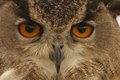
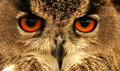
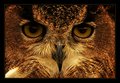
Another one in my occasional series of "how would you edit this?" threads, where I post one of my shots and invite you good people to show me how you would edit it.
This was almost my FS entry but I could not get it to a point I was happy with it.
Follow the link and click "view full size image" to access the full size original.
You're free to have a try at editing it yourself, although I'd appreciate it if you could post editing steps for my benefit as well as anyone else reading this.
a little clarify...selected saturation..layered gaussian blur..multiply/fade..a few other pings including the cleaning up the eyes...sharpened..bordered submitted...I think it looks better.
Not sure how this looks since my laptop is not calibrated, but here is my 5min edit:
Cropped- so the eyes are horizontal and to fill the frame.
Shadow/highlights- minor adjustments to bring out some texture
Duplicated layer and converted it to B&W, then set layer to sft light at around 20%
Merged layers- then dodge and burn.
Then I reflected the highlights of the right eye on to the left eye (I'm not sure if thats legal in advanced)
Added border.
I used Topaz Adjust and the "Dramatic" preset on the whole image along with a touch of the Topaz Denoise.
Masked out they eyes and converted to black and white via Channel Mixer.
Dodged and burned the eyes, around the eyes, and dodged the beak to bring back some of the cool scarring.
I also leveled using the eyes as my horizon, and cropped.
...then I came back and completely redid it from the full sized version with the same basic steps, but added a Smart Sharpen in there due to the resize.
this is what i got in lightroom with + .5 stop exposure clarity,just a bit a bit of satureation a bit of contrast clip the blacks a bit and just a touch of sharpening
A combination of contrast masking (cntrl-alt-tilde) and Topaz in layers, crop to symmetrical, vignette, adamus sharpening. I know it's overcooked, was just playing around. Best of these so far, IMO, is SDW's...
I used Topaz Adjust and the "Dramatic" preset on the whole image along with a touch of the Topaz Denoise.
Masked out they eyes and converted to black and white via Channel Mixer.
Dodged and burned the eyes, around the eyes, and dodged the beak to bring back some of the cool scarring.
I also leveled using the eyes as my horizon, and cropped.
...then I came back and completely redid it from the full sized version with the same basic steps, but added a Smart Sharpen in there due to the resize.
OH NOES, you used selective re-sat! Don't you know that's taboo and cliche? lol
Curves to increase contrast on overlay, auto levels on luminosity, curves to decrease brightness with circular gradient, slight shadow/highlight, changed eye colour with new layer on color, resize twice, sharpen, border