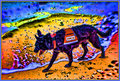
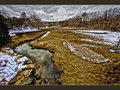
In general, when doing extreme Topaz, it can be very helpful to give the original a healthy dose of Denoise *before* applying the Topaz Adjust effect. Depends on the original, but basically however much you can avoid denoising *after* the effect, the crisper it will be, of course. But the fundamental issue with *extreme* Topaz Adjust is that it tends to throw a LOT of noise into the equation.
Now, personally, I *like* the noise a lot of the time, it's part of the gritty essence of the process, but it definitely doesn't fly well in challenges, so I look for ways around it.
I have not done a side challenge in a while, if this is a TOPAZ ONLY side challenge then bung my name into the mix and I will sling a few wacky edits in the mix.. Thanks.
OK Topaz Queen, I'm in! However, I don't use it to the extreme. Is this about various ways of using Topaz Adjust? I tend to us it at 10-15% fill during my BW conversions(see my adv edit seascapes as an example) rather than full tilt.
OK Topaz Queen, I'm in! However, I don't use it to the extreme. Is this about various ways of using Topaz Adjust? I tend to us it at 10-15% fill during my BW conversions(see my adv edit seascapes as an example) rather than full tilt.
I'll counter that with some *extreme* Topaz, from the Rock Songs challenge :-)
R.
Here's some middle-of-the-road Topaz, with original linked in comments:
OK Topaz Queen, I'm in! However, I don't use it to the extreme. Is this about various ways of using Topaz Adjust? I tend to us it at 10-15% fill during my BW conversions(see my adv edit seascapes as an example) rather than full tilt.
That's how I *usually* use the effect. Just enough to give some pop, but not enough to notice it. I do have some over the top stuff, though.
I have not done a side challenge in a while, if this is a TOPAZ ONLY side challenge then bung my name into the mix and I will sling a few wacky edits in the mix.. Thanks.
Hey Marac, I think this will probably just be staying a Topaz challenge. Look forward to seeing your photos!
OK Topaz Queen, I'm in! However, I don't use it to the extreme. Is this about various ways of using Topaz Adjust? I tend to us it at 10-15% fill during my BW conversions(see my adv edit seascapes as an example) rather than full tilt.
Mr. Ben, that is the beauty of Topaz - it's doesn't have to be taken to the extreme to see some benefits. The photo of mine that you pointed out on Flickr today has some Topaz done to it - mostly to bring out detail. This one for the same reason:
During this challenge tho, try stepping into the dark side of the extremes - maybe you will like it lol
I know that these Topaz adjustments can be saved just like actions in PS, but can they be sent to other people like actions can? It would be cool to swap some of these.
I'm looking forward to Ben going nuts and over the top with Topaz. :-) But yeah, I really like it to bring out detail before converting to B&W. When used in moderation, most folks won't even recognize it.
Then again, I've been having a great deal of fun with over-Topazing things. It can be quite enjoyable!
I know that these Topaz adjustments can be saved just like actions in PS, but can they be sent to other people like actions can? It would be cool to swap some of these.
Yup. Just find 'em in the folder Topaz stores the presets in, and send 'em on their way. Mine's at C:\Program Files\Topaz Labs\Topaz Adjust 3\Presets
I know that these Topaz adjustments can be saved just like actions in PS, but can they be sent to other people like actions can? It would be cool to swap some of these.
Yup. Just find 'em in the folder Topaz stores the presets in, and send 'em on their way. Mine's at C:\Program Files\Topaz Labs\Topaz Adjust 3\Presets
R.
Here's a link to some more: ATNcentral . Some fun ones are there.