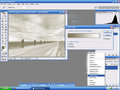
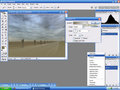
Just stumbled on this tool, not sure how I missed it.
I know you can set this to radial and create a vignette, but vignettes even if created via legal means are not allowed.
But there are other options that can help darken areas of the photo without selections.
Is this specifically not allowed in basic?
It's an adjustment layer.
It's used in normal mode.
It's using no selections.
It does not effect all pixels evenly and is not allowed in Basic. I am pretty much positive, but better to have SC chime in.
ETA: Don't confuse Gradient Fill with a Gradient map. I made this for a previous thread for those who may be confused.
gradient map is ok for Basic
gradient fill not ok for Basic
I might be in over my head, but someone can contradict me if I'm wrong.
A "Gradient Fill" selectively effects one area of your image more than another (better explaination).
With the "Gradient Map" the whole image is effected. The Gradient Map remaps the colors (better explaination).
That's right. Think of a gradient fill as a series of fills of increasing density and of specific location. A radial gradient fill set from the center outwards and from transparent to 100% opacity would be substantially the same as painting a series of target rings on your image, ranging from zero opacity in the center to 100% opacity at the edges. So each "ring" of the "target" affects a specific area of the image. The reason we don't see it that way is because the variations are very subtle (hence "gradient") but the principle is the same.