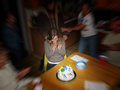
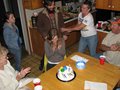
I know I ask this all the time, but I found a photo that I really like (overall) and I was wondering how you think they did the background (left). I think it's a bit bokeh. No exif data, sadly. What do you think?
Thanks for your thoughts! So, you think it's a camera twist, not a zoom lens twist?
A zoom during the exposure would make streaks that move into (or out of) the centre of the image. It looks like the lens was rotate around it's centre, I would say they used a lens with a tripod collar and spun it around that. A tripod would also mean a more even (not wavy) motion.
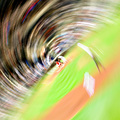
The second photo is a photoshop edit. To show you how this is done I took an old photo and added a radial blur from the blur from the filters>blur>radial blur. You can change the amount that you want it to be. This is the default effect.
Here is how you do it. Open a photo, make a new layer as background layer. Go to filter, blur, radial blur and apply it. Now grab the eraser and remove it from the section you want it to not appear. Flatten image and save.
Cokin do a radial blur filter that fits on to the front of your camera that will produce this kind of effect but you may have more control by applying the effect in photoshop to a standard photograph.
Here is one where I used Photoshop's Radial Blur with the Zoom option, through a gradient mask made with the Radial Blend tool, then distorted to an elipse, and angled to match the shape defining Heather and the cake.
Certainly you can create a spinning blur in camera:
But you can't do it and keep so much of the center clear.
Actually you probably could if you used a flash and a long exposure. Use the flash to freeze the part you want sharp and then finish exposing the background while you twist/zoom.
Certainly you can create a spinning blur in camera:
But you can't do it and keep so much of the center clear.
Actually you probably could if you used a flash and a long exposure. Use the flash to freeze the part you want sharp and then finish exposing the background while you twist/zoom.
You can also do it nicely on a good tripod, or as was mentioned above, using a tripod collar.
Unless you are an in-camera purist, I'd go with edit that MattO posted. Rather than erasing the part you want unblurred though, you might want to use a layer mask employing a radial gradient.
it looks like just rotating the camera while shooting. The only thing that gives me pause is the line of her hair, which seems too sharp then straight into the rotational blurred background. Maybe flash would tend to hold that - did you consider asking the photographer?
The first one is just a shallow depth of field, probably with a fast lens and a moderate telephoto.
Certainly you can create a spinning blur in camera:
But you can't do it and keep so much of the center clear.
Actually you probably could if you used a flash and a long exposure. Use the flash to freeze the part you want sharp and then finish exposing the background while you twist/zoom.
Would you have to use a snoot on the flash to just freeze the subjects? That photo looks very much like natural light and in that situation I would think it would be very tough to do.
I haven't asked the photographer. I figured my friends here at DPC would know. I think it was done in photoshop, after seeing that hair that Gordon pointed out. I'll definitely try a few techniques posted during my next photo editing session this week! :)
Certainly you can create a spinning blur in camera:
But you can't do it and keep so much of the center clear.
Actually you probably could if you used a flash and a long exposure. Use the flash to freeze the part you want sharp and then finish exposing the background while you twist/zoom.
You can also do it nicely on a good tripod, or as was mentioned above, using a tripod collar.
The tripod doesn't cancel the rotation in the middle of the photo.
For the first photo, it is possible to take this photo in camera. It is known as using a shallow depth of field. Focus on the subject using a wide aperture and if all is right, the subject will be in focus and foreground and background will be put out of focus. Having said this I suspect the blur in the background was enhanced further after the image was taken.
The second photo is definitely digitally manipulated. I don't think it would have been possible shooting this in camera without some amount of blur on the subjects as well.