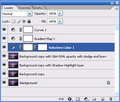
And if you don't have channel mixer, and are just using something simple like Irfanview you can do an awful lot of playing with colour and saturation variables before final desat or convert to greyscale.
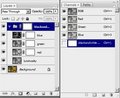
Channel mixer and play with the red/blue/green filters.
Be sure to check "Monochrome"
And if you have CS3 converting to B&W is even easier. Mind you I like to try different methods on the same pic as you can get very different effect. Virtual Photographer is very good (and free) but save it for advanced challengs.
It entirely depends on your method of shooting, the subject you've shot, the lighting you've shot it in and other details of the image.
Each shot, or series of shots, is going to require a slightly (or massively) different approach to conversion to Black and White.
Methods like Channel Mixer, Lab Color, and PS CS3's "Black and White" adjustment offer more control, but can be hard on noise levels and detail loss at times.
Methods like desaturation, Hue/Sat adjustment, Grey Scale and the like offer less control, but can be wonderful if you've set up and shot the photo with a B&W conversion in mind.
Keep in mind that there are also methods that you can use once the initial conversion is done, such as contrast/brightness, curves, levels, and countless filters. :)
Thanks for the ideas :) I have CS2 so cant do the black and white adjustment layer but will have a go at others.
I am going to a scrapbooking conference next weekend and am doing lots of classes which ask for black and white photos so I just want to convert photos I already have.....
Channel mixer with negative channels, actions, plugins, filters, throwing away channels in LAB mode, combine all, than revert to grayscale and duo-/tri- or quadtoning.....
haha funny to see how everybody does it in a different way ;)
I do everything in the RAW-converter with one setting I use almost for every b&w photo. One click, adjust the settings and it's done. I love how the b&w photos come out that way all the time!
I've done channel mixer in the past, but I'm using lightroom presets more and more - easier, quicker, and more consistent results. I find its good to use the presets and then tweak until I'm happy.
If the image makes it all the way to Photoshop still in color, then I'll use the B&W Adjustment Layer. Again, quick and easy. (process is similar to Lightroom)
A useful, interesting, alternate method not yet mentioned. Also works well in CS3.
Easy to set up, but can become complex depending upon individual pictorial & user variation.
To learn this basic set up goto: Adobe digital photography white papers and primers Scroll the page and click on the following PDF: Black and White Conversion Tutorial by John Paul Caponigro and also Black and White Conversion Action.
Sometimes I just copy the Green Channel and paste it into a new Grayscale document, then adjust with Curves. Occassionally I'll do the same with the Blue Channel if I want a gritty, grainy look.
A useful, interesting, alternate method not yet mentioned.
You aren't supposed to share the dark magic, dork!
Your so right. I take it back.
Any one w/questions about the process - write John Paul Caponigro or contact violinist123, he may or may not be willing to provide info or answers because I don't have any further to offer.