Originally posted by krnodil:
My problem with the technique so far is that I'm not exactly a master of using gradients, so I tend to be hit or miss placing the demarcation of blur/sharp in just the right spot. |
If you are using Photoshop, you can edit the gradient and move the demarcation zone around by:
1. Highlight the layer/layer mask containing the gradient
2. In Channels, highlight and make visible the gradient
3. Go to the menu Image > Adjust > Curves (or Levels, or whatever) and adjust the gradient.
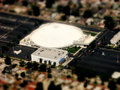
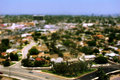
Here are a couple I did about a year ago:
  |




