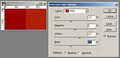
Hi, every challenge, I try and experiment a bit more and try to get the most I can out of what the rules allow...
For basic editing... I know anything in camera raw is ok... but i am now opening the image in photoshop and venturing a little further in....
If i click on "adjustments" and adjust things like "selective colour", "Black and White" "levels" ect... are they allowed in Basic editing?
I am only making these adjustments to the ENTIRE layer...
is that ok in basic editing? it's just like camera raw, but a bit more in depth...
In the rules it says "use only Adjustment Layers (or their equivalent). An Adjustment Layer is a special type of layer containing no image data that lets you experiment with color and tonal adjustments without permanently modifying the pixels. Adjustment Layers must be applied in Normal mode."
now.. is what I am doing considered in "Normal mode"???
let me know what you think... I have bugged the staff too many times =) i sent them a ticked for almost every chanllenge... i figured that this was a simple question that some more senior members could answer
Pretty much anything under Adjustments (essentially color-shifting) is OK if applied to the whole image. By doing it on an Adjustment Layer you will be able to apply the changes non-destructively -- the original pixels remain unchanged on the Background layer -- so you can change or adjust later. It's in the Adjustment Layer you need to check for the Mode setting to be Normal; I believe if you do apply an Adjustment directly from the menu it will be in Normal mode by default, though I'm not as sure of that.
ok... ummm, for this pic, i just applied the ajdustments directly to the Background layer (normally I would apply them to a duplicate of the background then flatten it, but this time i just did it to the background...)
Am I ok to do the ajdustments to the background layer directly?
i always thought selective color was illegal:/ in basic at least
Nope. While the term is "selective" it still changes that color throughout the whole layer/photo. You're not actually selecting anything using selective tools, or masking anything out.
The "Selective Color" Adjustment tool is legal; you just can't make any actual selections.
If, for example, you want to reduce the cyan and boost the yellows in the Red colors to brighten/warm up "dirty" reds your can use this tool for that, either directly from the menu or as one (or more) Adjustment Layers.
You can do similar things by using the individual color channels in a Curves, Levels, or Channel Mixer adjustment.
I know in CS3 you can create your own menus. It would be nice if SC or a Member here could create a "Basic" and "Advanced" Menu that we could download and insert into CS3. It would highlight the legal menus that can be used. With that said I know it will not be fool proof but for members like me that do very little editing in fear of DQ, it would be a nice tool.
sounds good... i was afraid of being DQ'd... (and still am)... so every challenge i try something a little more on the edge and start a thread and ask about it... if the rules are still vague to everyone, i submit my original and edited pic to the staff via a ticket and they reply within 24 hours (or less usually) and tell me if it is ok or not...
I know in CS3 you can create your own menus. It would be nice if SC or a Member here could create a "Basic" and "Advanced" Menu that we could download and insert into CS3. It would highlight the legal menus that can be used. With that said I know it will not be fool proof but for members like me that do very little editing in fear of DQ, it would be a nice tool.
What you think?
that would be so cool. what would happen to those of us who have cs2?
I know in CS3 you can create your own menus. It would be nice if SC or a Member here could create a "Basic" and "Advanced" Menu that we could download and insert into CS3. It would highlight the legal menus that can be used. With that said I know it will not be fool proof but for members like me that do very little editing in fear of DQ, it would be a nice tool.
What you think?
Anything that could potentially help users/members should never be scoffed at, it's a clever idea. I don't have the know how to work it up though.
I know in CS3 you can create your own menus. It would be nice if SC or a Member here could create a "Basic" and "Advanced" Menu that we could download and insert into CS3. It would highlight the legal menus that can be used. With that said I know it will not be fool proof but for members like me that do very little editing in fear of DQ, it would be a nice tool.
What you think?
that would be so cool. what would happen to those of us who have cs2?
I think it can be done in CS,CS2, and CS3. I may be mistaken but I think it can be done in prior versions of CS.
I know in CS3 you can create your own menus. It would be nice if SC or a Member here could create a "Basic" and "Advanced" Menu that we could download and insert into CS3. It would highlight the legal menus that can be used. With that said I know it will not be fool proof but for members like me that do very little editing in fear of DQ, it would be a nice tool.
What you think?
that would be so cool. what would happen to those of us who have cs2?
I think it can be done in CS,CS2, and CS3. I may be mistaken but I think it can be done in prior versions of CS.
now you got me excited (i bet no one knows what movie thats from)
For what it is worth, I am a converted Lab colorspace user for adjustments, color corrections and sharpening. And as far as I know, this powerful tool is as basic as basic can be.
For what it is worth, I am a converted Lab colorspace user for adjustments, color corrections and sharpening. And as far as I know, this powerful tool is as basic as basic can be.
For what it is worth, I am a converted Lab colorspace user for adjustments, color corrections and sharpening. And as far as I know, this powerful tool is as basic as basic can be.
\\
I know how to sharpen in Lab color, but how do you color correct in Lab color?