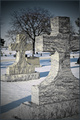
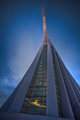
Due to some apparent confusion, we wish to remind the community that adding vignettes during post processing, including during RAW conversion, is not permitted under the Basic Editing Rules. This is covered by the following rule:
You may not... use ANY editing tool to create new image area, objects or features (such as lens flare or motion) that didn’t already exist in your original capture.
Because this has been a source of confusion for some users, we have also modified the wording of the rule above to explicitly list vignettes, along with lens flare and motion, as an example of a disallowed edit. This is not a rule change, but rather a wording change to reduce confusion. We have likewise added a note to the introduction that post-processing includes anything done to the image after it is captured, including RAW conversion and use of editing software embedded in the camera (such as red-eye removal tools).
To late for me after being DQ from the pollution challenge because of this, but I guess better late than never!! IMHO this should have been done much sooner as it has been an apparent misunderstanding in previous challenges...
To late for me after being DQ from the pollution challenge because of this, but I guess better late than never!! IMHO this should have been done much sooner as it has been an apparent misunderstanding in previous challenges...
But - thanks you guys, really appreciated.
it's been debated and discussed in forums, mentioned in rules, etc. ad nauseum for years.
To late for me after being DQ from the pollution challenge because of this, but I guess better late than never!! IMHO this should have been done much sooner as it has been an apparent misunderstanding in previous challenges...
But - thanks you guys, really appreciated.
it's been debated and discussed in forums, mentioned in rules, etc. ad nauseum for years.
Probably because of the misunderstanding and the fact that people are lazy in trying to find the relevant thread. I'll put up my hand and say that i started a thread a while back asking specifically about the vignette laws in basic vs advanced... if this was in the rules from the start i wouldnt have... not everyone plays a significant part in the forum community here or follows the threads of discussion "ad nauseam"
Probably because of the misunderstanding and the fact that people are lazy in trying to find the relevant thread. I'll put up my hand and say that i started a thread a while back asking specifically about the vignette laws in basic vs advanced... if this was in the rules from the start i wouldnt have... not everyone plays a significant part in the forum community here or follows the threads of discussion "ad nauseam"
No, but a forum search for "vignette basic" turns up many of them, most recently this one.
I am not very active here in the forums and therefor I have never seen this come up!!!
Secondly - Why should I look up vignetting if I did not have a clue vignetting was an issue!!!
It is so easy for people to judge if they only look at one side!!!
If I was in doubt then I would OF COURSE have looked it up... I really do not like being referred to as lazy for that matter... I had no reason to look it up because I did not know it had come up before or was an issue...
I read over the rules every once in a while (well almost every time I take part in a challenge I glance over them) - but the fact that using filters is forbidden did not tell me anything about vignetting!!! I would NEVER send a picture to a challenge knowing I was doing anything illegal....
Thank You, Ms. Judi & Site Council! This is the excellent specificity of wording that truly speaks to understanding...Message logged and noted! :)
Ms. Judi? What's she have to do with this? :o)
~Terry
Simple, Judi deserves to be thanked. period. ;)
OT, and @ Ragga2000: How can you not have a clue that vignetting might not be legal in basic? Unless of course caused by an object in front of the lens.
The bottom line in basic is that you can not apply effect filters and not do anything local, not even dodge and burn. Vignetting is a specific case of dodge and burn and definately something one applies locally.
I read over the rules every once in a while (well almost every time I take part in a challenge I glance over them) - but the fact that using filters is forbidden did not tell me anything about vignetting!!! I would NEVER send a picture to a challenge knowing I was doing anything illegal....
The rules did mention that you MAY NOT: "use ANY editing tool to create new image area, objects or features(new info here now)that didn’t already exist in your original capture."
Wouldn't you consider a vignette a "feature" or "object"? It's something that needs to be "added" to an image. That alone would raise a flag for most people I'd think, especially with "basic" being a very limited ruleset to begin with.
god forbid someone try to do something interesting within their "basic" images.
some lenses have a natural vignette, adding vignette in RAW conversion is not adding something to the image, it is already there. sounds "basic" enough to me.
To be honest I am not seeing why there is a debate here. SC has clarified this and made it explicit. No vignettes. Some people didn't get it before. Now everyone should. No vignettes in basic. Kaput.
Thank You, Ms. Judi & Site Council! This is the excellent specificity of wording that truly speaks to understanding...Message logged and noted! :)
Ms. Judi? What's she have to do with this? :o)
~Terry
Simple, Judi deserves to be thanked. period. ;)
OT, and @ Ragga2000: How can you not have a clue that vignetting might not be legal in basic? Unless of course caused by an object in front of the lens.
The bottom line in basic is that you can not apply effect filters and not do anything local, not even dodge and burn. Vignetting is a specific case of dodge and burn and definately something one applies locally.
IN basic you can´t add or change anything!! But you can change "everything" - as long as it is to the overall picture!!! I did REALLY not think of vignetting as a burn and dodge feature... Didn´t even cross my mind! ( my recently DQ picture wasn´t any better adding vignetting so after I tried it I reduced it again but failed to put it all the way to zero, left it at +2 AND cropped the image afterwards so vignetting isn´t even an issue in this picture!!)
"New image area, objects and features" - maybe it is the fact that english is not my first language - I did not understand it as adding vignetting was adding a new image area, objects or features!!!
AND finally (I hope) - it is legal to "add" color and "reduce" color and "add" crop AND so on.... I really do not understand why some of you are arguing about this... Speaking for my self, I did not know it was not allowed...!!! I know now...
Having said that, I am glad this has been "corrected" in the rules as this has clearly been misunderstood before...
You may not... use ANY editing tool to create new image area, objects or features (such as lens flare or motion) that didn’t already exist in your original capture.
So my question is, lets say I'm shooting with my 24-105 which often leaves a slight vignette in pictures shot wide open. Am I then allowed to enhance the minor vignette ALREADY THERE with out fear of DQ?
So my question is, lets say I'm shooting with my 24-105 which often leaves a slight vignette in pictures shot wide open. Am I then allowed to enhance the minor vignette ALREADY THERE with out fear of DQ?
there it is... get a fullframe camera and see how easy it is to get a vignette... the settings for the vighnette in raw conversion is a LENS setting. it is always there, it is a user option and is not adding anything to the image... just "enhancing" it.
on another note, basic rules are dumb. but hey, what do i know.
The vignette rule got me too. I was using Lightroom for PP in this shot and being unfamiliar with Lightroom at the time, I went down the editing options without even thinking of the filter aspect of what I was doing. Not that I was trying to pull a fast one, I even mentioned it in the description. Too bad because it was doing OK in the voting.
Yeah - I remember finding this feature in the latest Camera Raw plug-in and seeing how it "faked-in" the vignette - really sort-of unexpected in that sort of application.
lets say I'm shooting with my 24-105 which often leaves a slight vignette in pictures shot wide open. Am I then allowed to enhance the minor vignette ALREADY THERE with out fear of DQ?
I don't think so. In my opinion turning a slight vignette into an obvious one would risk an added feature DQ, however I believe we've allowed use of the lens tool to remove vignettes as a corrective edit.
So my question is, lets say I'm shooting with my 24-105 which often leaves a slight vignette in pictures shot wide open. Am I then allowed to enhance the minor vignette ALREADY THERE with out fear of DQ?
there it is... get a fullframe camera and see how easy it is to get a vignette... the settings for the vighnette in raw conversion is a LENS setting. it is always there, it is a user option and is not adding anything to the image... just "enhancing" it.
on another note, basic rules are dumb. but hey, what do i know.
however - get an image with no vignette - add the process negatively in the same "Lens" setting you are using and you add a vignette which wasnt there in the original.
And i wasnt refering to you as lazy in particular Ragga2000 - i was just referencing myself as an example and a general feeling of "why should i look for it when it should be presented to me in the rules plain and simple" which is the attitude of a fair few people i would imagine. I wasnt attacking anyone merely defending the fact that it was a good move by the SC because it cuts the confusion.
As Citadel said - should be moot point now... it is in the rules - we wont have further discussions on it which were the route to understanding before, and probably the impetus behind the SC decision to put it in the rules (unless you want to go ahead and discuss the semantics of the word "add"...)