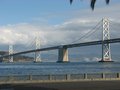
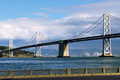
Because that image is asymmetrically tilting, "skew" is your best tool. Duplicate the BG layer, then go to image/transform/skew. Grab the upper right corner and pull it to the right while holding down the control key (that constrains it to horizontal or vertical movement, whichever way you pull), and then evaluate the result. Probably you will need to skew upper left to the left a little to compensate, and you juggle the two until you get it right.
This tool is also the best way to adjust slightly out-of-kilter horizons, especially where rotate will force you to crop where you would prefer not to. Another benefit of doing horizons this way is you can do it over and over again in small increments back and forth as you seek the best balance. It's faster than rotate/undo/rotate/undo until you get it right. Works very well for horizons that don't look right as they are, but also don't look right if you force them to "true horizontal", a common problem with landscapes that include headlands and sea/sky horizons or "false horizons" like the shores of lakes and rivers.
Because that image is asymmetrically tilting, "skew" is your best tool. Duplicate the BG layer, then go to image/transform/skew. Grab the upper right corner and pull it to the right while holding down the control key (that constrains it to horizontal or vertical movement, whichever way you pull), and then evaluate the result.
I used exactly this technique to tweak the right bridge tower (and the post in the railing) in my November FS entry. Though I thought it was holding the Shift key which constrained the movement to horizontal or vertical.
I used exactly this technique to tweak the right bridge tower (and the post in the railing) in my November FS entry. Though I thought it was holding the Shift key which constrained the movement to horizontal or vertical.
I went to check this out and, oddly enough, I found out that the skew tool is constrained by default; it only moves in a horizontal or vertical plane. I have been using the cntrl key and it *seemed* to work, LOL.