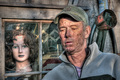
OK... I'm a newb to the world of raw, and it's so far so good (done a wedding and some other stuff and it turned out ok), but how in the blue hell do i make an hdr from a single exposure.
I use Adobe Camera Raw as my editing thing, so I open a raw in CS2, that opens up ACR, then I tweak the exposure, WB etc etc and then save it as a tiff since I don't have the option to save it as a raw file. Do I need to use DPP or otherwise? And if so, what does one do?
Sorry to sound like a dumbass here, but it's the one thing I'd like to learn but haven't found anything that helpful other than telling me to go to 'automate->merge to HDR' and go from there.
As always, any help you can offer is greatly appreciated :)
Just create three or more TIFFs from your RAW file, each with a different setting in the exposure compensation. You'll get a dark, a normal, and a bright file. Now you can go automate->merge to HDR.
Be sure to have NO EXIF data in the tiffs, otherwise you might get a message "Not enough dynamic range". You can open the tiffs and copy all pixels of each image into 3 new files, then the EXIF data is lost.
The "automate/merge to HDR" command is in the "file" menu in CS2/3. I use photomatix pro, and I have not tried the Photoshop version of HDR merging, so I can't be of help with that. I have seen others discussing how the HDR command doesn't work right because the file has exif data appended that "tells" PS it's all the same exposure.
If that happens to you, open all 3 versions in PS, "select all" on the first one, go to "file/new" to create a blank document, and paste the copied image into that, then save-as a new filename. This will strip the exif data. Do the same for each of the three versions and then merge those stripped versions to HDR.
R.
ETA: I see eyewave beat me to it :-) I was getting more detailed LOL.
Just create three or more TIFFs from your RAW file, each with a different setting in the exposure compensation. You'll get a dark, a normal, and a bright file. Now you can go automate->merge to HDR.
This can be done in Camera Raw right?
And thanks for your help, prompt and precise as usual. You're all on my christmas card list now :)
Just create three or more TIFFs from your RAW file, each with a different setting in the exposure compensation. You'll get a dark, a normal, and a bright file. Now you can go automate->merge to HDR.
This can be done in Camera Raw right?
Yup, lower left corner of ACR has a save button; select TIFF (it defaults to .dng format), rename, and specify folder; I usually make a subfolder called "HDR" so I can keep all these versions straight. If I have img_9999,cr2 as my RAW, then I will make img_9999_1.tif, img_9999_0.tif, and img_9999_2.tif, with the 1 being the under and the 2 being the over.
This way I can figure out what the heck I am doing....
But actually for this stuff I usually use EOS Viewer Utility that came with my 20D: it's real fast and it has a convenient marked-in-stops exposure adjuster that makes all this a breeze. I use ACR for straight RAW conversions now that I have CS3, but I have not integrated it into my HDR workflow yet.
If you've got a copy of Photomatix, you can open the RAW file directly and tone-map it from there
This doesn't produce the same results though; I have tried it both ways with the same image, and it works differently. Tone mapping from a single RAW is generally coarser than creating the variant exposures and merging them. I am not sure why this is true, but I see a distinct difference on some shots, a more subtle difference on others, but always a difference.
The only reason* I ever did tone mapping from a single RAW was because it was basic editing legal at the time; by preference I will create the variant exposures and merge to HDR with them, if I don't have actual bracketed RAW exposures to work with in the first place.
R.
ETA: *I mean, "for the purposes of expanding the dynamic range" — I tone map single exposures fairly frequently for special effects, and this is usually images that don't NEED HDR; that is to say, the dynamic range is under control in the single image. This is one of those:
If you've got a copy of Photomatix, you can open the RAW file directly and tone-map it from there
This doesn't produce the same results though; I have tried it both ways with the same image, and it works differently. Tone mapping from a single RAW is generally coarser than creating the variant exposures and merging them. I am not sure why this is true, but I see a distinct difference on some shots, a more subtle difference on others, but always a difference.
R.
I've heard this said before and I must investigate it for myself, but I can believe it, as I would imagine that the RAW conversion portion of Photomatix is perhaps not as good as Lightroom, DPP etc. For my low standards, though, it's good enough and made even better because it's easier
In Judi's video tutorial, she explains how to create 9 different exposures from a single RAW file, ranging from +2 to -2 in exposure values steps of 0.5. Photomatix offers a fairly functional demo version, I believe (size limit? Not sure). Check it out, it's pretty cool.
Just tried this for the first time yesterday....
I tried to go extreme with my HDR as I've never done it before...
.....
and then I tried some of Judi's optikverve techniques...
WOW! I love this one. Is there a tutorial or something on "Judi's optikverve techniques"? I'd love to give that a go, I really dig that pic.
Be sure to have NO EXIF data in the tiffs, otherwise you might get a message "Not enough dynamic range". You can open the tiffs and copy all pixels of each image into 3 new files, then the EXIF data is lost.
thank you. no one has ever said this in all the threads on HDR. now i can do it. phew.
WOW! I love this one. Is there a tutorial or something on "Judi's optikverve techniques"? I'd love to give that a go, I really dig that pic.
Check the post quoted below from just a few above my original--Its a twenty minute video, and she has the text write up too. Optikverve is a free photoshop plug in. For the bottom image I tried some of her technique that she used on a portrait.
Originally posted by david_c:
In Judi's video tutorial, she explains how to create 9 different exposures from a single RAW file, ranging from +2 to -2 in exposure values steps of 0.5. Photomatix offers a fairly functional demo version, I believe (size limit? Not sure). Check it out, it's pretty cool.