all of our side challenges and regular challenges encourage us to get out there and shoot shoot shoot. the problem is, we are just piling up more and more images that have no business existing anymore and collect virtual dust. we never encourage each other to prune out the crap.
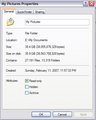
most of my individual shoots are cataloged in folders and i have a pretty good organizational scheme going on in there. the problem is that, although it's pretty well laid out, it's a complete mess. i don't delete anything, and it's weighing me down. a recent cataloging of the folder revealed ~30,000 photos in there. 30,000! and these are just personal shots -- all of my client shoots are stored elsewhere.
i need to mine for the diamonds that i'm sure are stuck in there somewhere in the midst of all of that crappy "hey, what happens when i try this setting on my camera?" stuff.
so my goal for october is to whittle that down by at least 1/3 (i could probably go a whole lot more, but we'll call that 'phase 2'). i'm going to dump 10,000 crappy images off of my system. buhbye. gone.
so the purpose of this thread is threefold:
1) see if anyone else wants to join in a big cleanup project
2) discuss techniques for deciding if you should keep a photo or not, and how it should be stored
and
3) talk about cataloging photos and the review/purge process that you should go through everytime you download images
Oh Hell Yeah!! I'm all about keeping the crap so it's most certainly time to dump some. Ugh... that sounded kinda gross. Sorry. :)
I've got about 19,000 in my "originals" folder (435 subfolders...that's alot of freakin' folders!) And about 15,000 in my "Edited" folder (of which there are 540 subfolders)
Clearly, given all those folders, I can come up with a better filing system. :)
My workflow, while way better than it was even 6 months ago, is still way too scatterbrained for my liking. What I really need to focus on this month is
A) Converting my PEF files to exposure-corrected DNGs with jpeg proofs. Once thats done, I can get rid of my LR databases to recover its performance.
B) Renaming photos by date taken
C) Change folder naming system. I've started using a 2007_09_28 style of folder labeling, but most of my photos are still in my old, sorting unfriendly style of 2007/September 2007/Kits Beach Sept 28.
D) Cull the junk. I'm usually pretty good about axing anything that isn't good right after import, but sometimes I get lazy.
This is going to take a long, long time, unfortunately...
i file my shots by "shoot" and group shoots by "subject" (i.e. "Family/Christmas05" or whatever), but if i want a photo of my brother i have to troll through all of my folders to find one.
my first goal is to catalog everything so that i can look and say "wow, do i really need all 18 shots of that elephant at the zoo?" and start pruning. once that's done, i want to blaze through them and group them by subject or location or both.
so what cataloging software is out there? i'm working with a trial of Lightroom right now. i've also got a copy of Extensis Portfolio that i've installed. so far, lightroom is the clear winner.
it took Extensis Portfolio 6 full days to catalog all of my 30k photos. :(
edited to add: Lightroom is currently at 20% of the import process and it's been going for 2 hours.
1,797 files and 30 folders, i just did a pretty good purging of files a week ago, so i can sit this out. but will probably pop in and read some of the tips.
i file my shots by "shoot" and group shoots by "subject" (i.e. "Family/Christmas05" or whatever), but if i want a photo of my brother i have to troll through all of my folders to find one.
:(
I used to name folders by shoot, but I found that to get very disorganized by the end of each month. I'm trying to move to a system where everything is sorted in a YYYY_MM_DD manner, and use embedded keywords to find specific shots...
i file my shots by "shoot" and group shoots by "subject" (i.e. "Family/Christmas05" or whatever), but if i want a photo of my brother i have to troll through all of my folders to find one.
my first goal is to catalog everything so that i can look and say "wow, do i really need all 18 shots of that elephant at the zoo?" and start pruning. once that's done, i want to blaze through them and group them by subject or location or both.
so what cataloging software is out there? i'm working with a trial of Lightroom right now. i've also got a copy of Extensis Portfolio that i've installed. so far, lightroom is the clear winner.
it took Extensis Portfolio 6 full days to catalog all of my 30k photos. :(
edited to add: Lightroom is currently at 20% of the import process and it's been going for 2 hours.
I use iView MediaPro3 to catalogue my pictures. It worked very well with the JPGs from my Sony P&S, but does not handle RAW files so well (does not work with XMP files). I am looking into Lightroom myself.
That is just my Personal stuff too! I didn't think I'd be up to that much!
Including stuff I have in my "Client Folder", it is over 25K!
This does include Raw and JPG of the same files in many instances, plus lower res version for proof disks etc...
my first goal is to catalog everything so that i can look and say "wow, do i really need all 18 shots of that elephant at the zoo?" and start pruning. once that's done, i want to blaze through them and group them by subject or location or both.
You need KEYWORDING, but it's quite a tedious process to keyword 20k images. I'd recommend a first pass of QC. Why waste time keywording images only to delete them?
glad I saw this thread. In my chronological files (and honest, I have purged some of them) I have some 24,254 files. Once they are processed and filed elsewhere, with the original still staying in the chrono file, the elsewhere files number just about 6,000. Eeeps.
On the other hand. When I first started digital I didn't know much of anything about Ps. Recently, I went through some of my early files and in a few days of March, 2004, I found a treasure. All those wildflowers in the Mohave just need a little processing to make them, well, rather good! So, if I had tossed them because they were sorry looking unprocessed images, I'd never know. Are there other treasures in there? I'm going to have to look.
I will watch this thread and get some pointers, though, on how to rein in the numbers. Especially with those humongous RAW files that are eating up my new hard drive.
This is a great idea! Unfortunately, my hard drive isn't easily accessible, as it's in Germany and I am not. But I could prune what I have on the laptop.... Won't be nearly as productive, though. But I do think I need to set aside a day once a month and clean out folders. And I definitely need a better way to organize stuff than dating the folder with the day of the shoot and adding a word, like "Cats". It does get hard to find stuff.
My father passed away two years ago. He had taken thousands of slides and other pictures over the 50 plus years of his photographic journey. I had the task of culling these down. The thing is, I ended throwing away about 90% of the photos - especially anything that was a pretty flower or garden etc - keeping mainly the photos that the family would be interested in seeing.
That lesson has taught me to purge the stuff that is 'almost' good. It is easy to keep everything and it takes a lot of effort to throw away the stuff they we really don't need.
Count me in - I need to purge some more and organize more effectively.