DPChallenge: A Digital Photography Contest
 

DPChallenge Forums >> Hardware and Software >> Color shift in photoshop
⏮️⏪◀️ 1/1 ▶️⏩⏭️
Showing posts 1 - 3 of 3, (reverse)
AuthorThread
02/25/2006 12:34:31 AM · #1
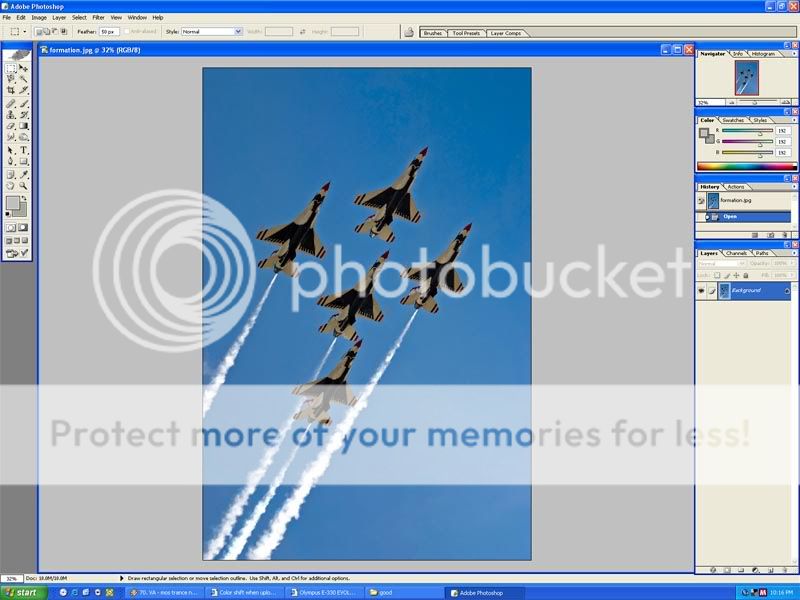
I have read a few threads on similar topics, but none seem to help my specific problem. When I save a photo in Photoshop CS it turns purple. The sky is blue while I am editing, and purple after I save. I am using the SRGB IEC61966-2.1 mode. I have tried different modes, tried saving the file different ways, but nothing helps. I have also calibrated my monitor already.

Here is an example of the problem, the first in photoshop, and second after I save:


02/25/2006 05:50:42 AM · #2
What does the photo look like when opened in PS again.

Also, I am assuming you didn't use PS to save the screenshot (or it too should have turned purple). :D

David
02/25/2006 07:35:57 PM · #3
The screenshot was saved in microsoft paint. When I open the purple image in Photoshop it turns back to blue.
⏮️⏪◀️ 1/1 ▶️⏩⏭️
Current Server Time: 11/05/2026 05:28:30 PM

Please log in or register to post to the forums.