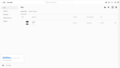
Do you know what could be wrong in here? I have only one file in the cloud but storage says I have used 9.5 GB. I tried looking around over the internet and I am not the only one in this situation.
Sorry may be I missed this, in the current cloud app that I have running the only option I see is Assets and in there, there is no third party site or access and nothing in there.
Originally posted by Bear_Music:
Originally posted by GeneralE:
Don't know if it relates to this, but another online storage site counts files shared with you (from another user's account) against YOUR quota.
That's what I was thinking. Have you checked all those other categories, on the left and the mobile one on the top, to see what's lurking within?
I got the answer, so what is happening is that there is disconnect between cloud app vs lightroom cloud storage. So what I found that the IF you are looking at the Adobe assets on cloud app, you will see storage usage but you may not see the files which is what is happening in my case and in my case the usage is actually with the lightroom cloud upload which for some reason it doesn't show up in the adobe cloud app. You can see your usage here and I was able to locate the files that ligthroom uploaded behind the scene.