Okay my apologies for yet another rules question, but are colored Overlays allowed in Standard editing? There isn't a lot of "You May Not" in the Standard ruleset, so that's why I'm wondering, better to be safe than sorry... Thanks in advance
If you mean creating a layer, filling it with a color, then blending it into the image (similar effect to shooting through a color gel) then yes, it's legal -- even under the original rules almost any degree of color-shifting was allowed.
If you mean something else please post a more detailed description.
If you mean creating a layer, filling it with a color, then blending it into the image (similar effect to shooting through a color gel) then yes, it's legal -- even under the original rules almost any degree of color-shifting was allowed.
If you mean something else please post a more detailed description.
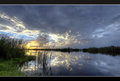
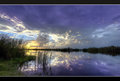
Yes creating a transparent layer, filling it with a color, and switching the layer to overlay... The Caveat is that you can layer mask that layer to apply the effect to only portions of the image... Here is an example...
Original--
Applied effect--
Effect applied very crudely for an example but it illustrates the technique... Thanks
A texture is allowed. This i understand. What if it was a cloud texture. Does it have to go through the whole image? or can you graduate it? Similar to a fog texture, does it have to go through the whole picture? If you can not graduate it, can you just use half the texture, then work on it as normal? I am really not quite understanding this, as you are putting in a texture, so there is things that where not there in the first place, but it is allowed, so is half a texture allowed and worked on as though it is real life?
Does that make sense? These new rules have me a bit brain holed. Sorry if it is a dumb question.
A texture is allowed. This i understand. What if it was a cloud texture. Does it have to go through the whole image? or can you graduate it? Similar to a fog texture, does it have to go through the whole picture? If you can not graduate it, can you just use half the texture, then work on it as normal? I am really not quite understanding this, as you are putting in a texture, so there is things that where not there in the first place, but it is allowed, so is half a texture allowed and worked on as though it is real life?
Does that make sense? These new rules have me a bit brain holed. Sorry if it is a dumb question.
I suggest you submit before/after versions and editing steps in a ticket prior to entering so you can get a more informed opinion on your particular image.
Does that make sense? These new rules have me a bit brain holed. Sorry if it is a dumb question.
Probably the safest way to look at it is to make sure you are using something that YOU would consider a "texture", as opposed to an identifiable "thing". Clouds, for example, would be very tricky because they are like layering "things" on the image. Done faintly enough, they'd definitely work as a texture, but on the other extreme clouds at 100% opacity and only overlaid on the sky would DEFINITELY count as multi-image compositing. The gray area lies somewhere in the middle, and it's one of the few gray areas we have left in the rules.
Only I could find a grey area, within days of showing up. Sorry =\
That does make sense! It is enhancing rather than being.
Yup... ask yourself, if the average observer looks at the image, is it clear that the clouds are a texture, or might someone think they are real objects? If you see risks of the latter interpretation, you are in the danger zone.