I went on an early morning photo shoot and set my ISO to 6400 due to the low light conditions.
The photos are rather grainy/noisy and I wanted to ask what tips/techniques you guys would suggest to reduce this noise.
I tried the Photoshop - Filter - Noise - Reduce Noise but I can see no difference in the photo after applying this.
I use Nik DFine,for the really noisy ones I use Topaz DeNoise...I prefer to make several small pass' vs one big one. And if there's a lot of pixelation going on I'll add a gaussian blur say at about 1-4 pixels (not enough to "see" it) then I brush that on where it's needed. Believe it or not...then I'll run a very low (10 pixels) High Pass Filter...reducing the opacity because you often loose the detail when doing the noise pass'.
I went on an early morning photo shoot and set my ISO to 6400 due to the low light conditions.
The photos are rather grainy/noisy and I wanted to ask what tips/techniques you guys would suggest to reduce this noise.
I tried the Photoshop - Filter - Noise - Reduce Noise but I can see no difference in the photo after applying this.
I use Nik DFine,for the really noisy ones I use Topaz DeNoise...I prefer to make several small pass' vs one big one. And if there's a lot of pixelation going on I'll add a gaussian blur say at about 1-4 pixels (not enough to "see" it) then I brush that on where it's needed. Believe it or not...then I'll run a very low (10 pixels) High Pass Filter...reducing the opacity because you often loose the detail when doing the noise pass'.
Thank you - that sounds the business. Will give it a go!
Arrange to properly expose any shadow areas. When your sensor attempts to record areas of black, the amount of color noise will randomly increase. Not sure about ISO 6400, but modern sensors can record relatively noiselessly at ISO 3200 all day long, if you properly expose the shadows. (So you don't have to try to extract detail in PP.)
In-camera noise reduction or PP NR are accomplished at the expense of sharp detail.
Arrange to properly expose any shadow areas. When your sensor attempts to record areas of black, the amount of color noise will randomly increase. Not sure about ISO 6400, but modern sensors can record relatively noiselessly at ISO 3200 all day long, if you properly expose the shadows. (So you don't have to try to extract detail in PP.)
In-camera noise reduction or PP NR are accomplished at the expense of sharp detail.
Thank you - I am not sure how easy that is but will read up on it.
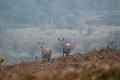
Here is an example photo that has noise and was shot at 6400
Paul, you're certainly correct the "reduce nose" filter in Ps is very subtle... I can't remember the last time I used it for NR. My normal workflow involves NR at the RAW conversion stage in Lr. I took the full-size version of this photo and ran it through Lr:
The settings were as follows:
Arrange to properly expose any shadow areas. When your sensor attempts to record areas of black, the amount of color noise will randomly increase. Not sure about ISO 6400, but modern sensors can record relatively noiselessly at ISO 3200 all day long, if you properly expose the shadows. (So you don't have to try to extract detail in PP.)
In-camera noise reduction or PP NR are accomplished at the expense of sharp detail.
Thank you - I am not sure how easy that is but will read up on it.
Here is an example photo that has noise and was shot at 6400
If you want to send me the original (preferably RAW) I can give a quick pass in DeNoise and see how it turns out.
Echoing Janine, I highly recommend Topaz Denoise for this. I just downloaded your "full-size" image and it completely cleaned it with minimal loss of detail. Also, the sharpening feature and detail recovery can be used to balance and produces great results. This is important because a major effect of too high ISO is not just noise but softness.
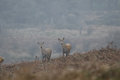
Here it is...and I probably set it a bit too high (I used JPEG Strong then with a high dose of Reduce Blur=.68 and Recover Details=.64)
I did a very light hand on the gaussian blur (reducing opacity of the brush as well as blending mode). You could do a bit more I think...but at least the detail is saved.
You could also do a shake reduction to get more clarity on their faces...
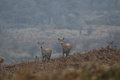
I stepped on it with Nik Dfine. Got it perfectly smooth, no problem, but it needed some structure. So I took it to Nik Viveza and gave it a little structure and contrast, at the expense of adding a smidge of granularity back to the image.
Thank you all for taking the time to process this image and remove the noise - you have all done a super job and have given me some new tools to my arsenal for noise reduction.
I spend a day taking photos on Exmoor so was able to reduce my ISO down as the light became better and have several great shots with a low ISO and no noise.
However I do really like some of the photos I took early morning with the higher ISO and will try out these techniques. The photo I provided wasn't one of the better shots. I am sure you will see one or more of my Exmoor shots in a challenge very soon:)
Since you already have answers, I need to be snarky:
Best way to reduce noise is to not buy a canon 7D. Should have returned the camera when I first bought it. Dealing with canon yet again. It's been at repair for 2 weeks, and so far, they've repaired something I didn't ask for. Yet no one can tell me if they've even bothered looking at what they were supposed to look at.
Since you already have answers, I need to be snarky:
Best way to reduce noise is to not buy a canon 7D. Should have returned the camera when I first bought it. Dealing with canon yet again. It's been at repair for 2 weeks, and so far, they've repaired something I didn't ask for. Yet no one can tell me if they've even bothered looking at what they were supposed to look at.
Back to all the helpful answers!
Not sure if you spotted my photo was taken on a Canon 7D - I was on a photography safari course and my Canon 70D would not focus with the Canon 100-400mm Mark II lens that I had hired. Fortunately the course organiser offered to lend me his Canon 7D for the day - so I am not complaining. I got some photos that day that I am very pleased with and ended up buying a used Canon 100-400mm mark i on the back of it. But my poor Canon 70D left today to go to the Canon repair centre for a service which will hopefully resolve any future issues like this.
When I start editing my RAW's in Lightroom and there is not much noise I use the Noise Reduction of Lightroom as kirbic pointed out. When there is a higher level of noise I use NIK's Define noise filter to start with. When that is not satisfying I also use Topaz DeNoise to finish it. In all cases I'd rather try to apply small corrections then to make one major adjustment.