I've posted a couple of questions in threads that seem to get lost regarding questions about this ruleset. Perhaps some answers / conversation can be produced in a dedicated thread? Hope so.
Q1) Probably a simple question, but would like to be certain ... you can use the same photo multiple times under the expert rules, yes? As long as the photo was taken in the correct time frame and not used for any other challenges. Correct? Thanks in advance.
Q2) In the Expert rules it states, You may:"combine multiple photographs to produce your entry. All additional photographs must be taken by you after the challenge is announced with a digital camera that records EXIF data."
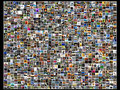
So, in theory, you could combine 100 photos, or more, and create whatever you want. Put those photos side by side in a grid, etc... Could you border all of them, say if you used 9 photos, where each one was a "story" in a 3x3 block?
Something like this would be legal in Expert (provided you took all the photos yourself within the challenge time frame)?
I had a really cute scene but I saw the flag and I took it as a must do or option, it "could" be like that or like any other expert entry..
I think the flag is just an exception of what could happen but we didn't have to do it that way because it said "may".. but I wasn't sure, and no clear answers were given because I don't know how to do that editing and creating yet. I skipped this challenge myself because of it and not risking a DQ
Seems to me that while we can usually combine any number of shots to create what we like in expert, the current challenge is limiting us to five non overlapping shots. Goodness only knows if all the other expert possibilities are allowed this time or not.
Seems to me that while we can usually combine any number of shots to create what we like in expert, the current challenge is limiting us to five non overlapping shots.
Really, you've got me worried now! It says "You may optionally combine up to 5 unique captures in a non-overlapping sequence" So I thought it would be okay to use overlapping shots?
There's no need to worry at all.
What the yellow flag says is already included within the expert editing rules (it is simply a leftover of the first edition of "Toy Story", which was in advanced, not in expert, hence the flag about the polyptychs). Since the flag does not expressively forbids anything, you can safely ignore it, and do whatever you want as long as it is within the expert editing rules.
LOL. I wasn't really trying to start a conversation regarding the current challenge ...
Still looking for answers to Q1 & Q2.
i have no idea what the current challenge is trying to say, but in normal expert editing if you take the pics in time frame you can do whatever you want with as many as you want.
Seems to me that while we can usually combine any number of shots to create what we like in expert, the current challenge is limiting us to five non overlapping shots. Goodness only knows if all the other expert possibilities are allowed this time or not.
It's the difference between taking a bunch of pics to create a single composite of Godzilla in NYC, & taking a bunch of pics to create up to 5 composites presented comic strip style of Godzilla in NYC.
There's no need to worry at all.
What the yellow flag says is already included within the expert editing rules (it is simply a leftover of the first edition of "Toy Story", which was in advanced, not in expert, hence the flag about the polyptychs). Since the flag does not expressively forbids anything, you can safely ignore it, and do whatever you want as long as it is within the expert editing rules.
This. Yes.
I'm happy to give SC endorsement of that interpretation and I believe I said so in the other thread.
Seems to me that while we can usually combine any number of shots to create what we like in expert, the current challenge is limiting us to five non overlapping shots. Goodness only knows if all the other expert possibilities are allowed this time or not.
It's the difference between taking a bunch of pics to create a single composite of Godzilla in NYC, & taking a bunch of pics to create up to 5 composites presented comic strip style of Godzilla in NYC.
Thanks guys, you've put my mind at rest. Hope you got the answers you wanted glad2badad :)
Yeah. Pretty much. Still not sure about this: "Could you border all of them, say if you used 9 photos, where each one was a "story" in a 3x3 block?". Basically creating internal borders ...
Thanks guys, you've put my mind at rest. Hope you got the answers you wanted glad2badad :)
Yeah. Pretty much. Still not sure about this: "Could you border all of them, say if you used 9 photos, where each one was a "story" in a 3x3 block?". Basically creating internal borders ...
Thanks guys, you've put my mind at rest. Hope you got the answers you wanted glad2badad :)
Yeah. Pretty much. Still not sure about this: "Could you border all of them, say if you used 9 photos, where each one was a "story" in a 3x3 block?". Basically creating internal borders ...
I have a question about advance editing. Is texture - canvas (from photoshoot element) allowed in advance editing?
"You May: use images that do not meet the source or date requirements as textures in your entry if they function specifically as textures and not to circumvent other rules."
So the short answer is yes. But when you work with textures be careful not to do in such a way that the textures become a feature in their own right...