Author Thread
Post actions #1
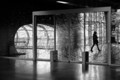
This maybe shouldn't be in challenge results, not sure. On both my iPad and my main computer my recent transit photo has suddenly become much lighter with less contrast than before, is it just me and if not what's going on ? the thumbnail seems fine.
Post actions #2
Wow, what's up with that!?
Post actions #3
Post actions #4
Weird. It looks a lot lighter here also. No idea what happened, but can I change my vote? :)
Post actions #5
Uploaded it again to the workshop and its's fine:
Post actions #6
Post actions #7
Post actions #8
Post actions #9
yes, quite odd. The new one looks fine!
Post actions #10
something to do with the script which overlays the watermark?
Post actions #11
Giles is a star, removed the watermark and all is well, cheers Giles.
Post actions #12
Originally posted by jagar:
Giles is a star, removed the watermark and all is well, cheers Giles.
Post actions #13
Originally posted by aliqui:
Originally posted by jagar:
Giles is a star, removed the watermark and all is well, cheers Giles.
Post actions #14
Curiously I took a look at my watermarked entries, they seem fine.
Post actions #15
Originally posted by jagar:
Originally posted by aliqui:
Originally posted by jagar:
Giles is a star, removed the watermark and all is well, cheers Giles.
Originally posted by Cuttooth:
Curiously I took a look at my watermarked entries, they seem fine.
Post actions #16
Originally posted by GeneralE:
Originally posted by jagar:
Originally posted by aliqui:
Originally posted by jagar:
Giles is a star, removed the watermark and all is well, cheers Giles.
Originally posted by Cuttooth:
Curiously I took a look at my watermarked entries, they seem fine.
Post actions #17
Originally posted by jagar:
Originally posted by GeneralE:
Is the problem image in RGB or Grayscale mode?
That doesn't quite answer my question -- I'm curious if it's a single grayscale channel or in RGB mode depicting only grays (I don't use LR and don't know how it affects/saves files).
Message edited by author 2013-11-03 09:04:16.