Not sure if this has been posted before...but Nik has a nice set of videos each dedicated to every single one of their filters in CEP4 called "55 Filters in 52 Weeks".
Google "Color Efex Filters 55 filters" and the Youtube series will pop up. I am on my phone, so can't give the hyperlink.
I'm looking at one of my favorite filters, and I learned something in the first 34 seconds! I didn't know that there was a little icon on the right of the filter showing more presets!
I'm looking at one of my favorite filters, and I learned something in the first 34 seconds! I didn't know that there was a little icon on the right of the filter showing more presets!
Taking a short break from client work....thanks for the link will definitely follow it! Just a side note did you see the ad before the main Youtube video played?!!!! I don't know if the commercial videos are all the same for everyone.
I was floored! This gent, Ken Delmer , paints fabulous picture on paper towels!!!
What do these do, and what are the softwre/system requirements?
These are explorations of the 55 different modules inside Nik Color Efex Pro.
Windows:
Windows Vista®, Windows 7, Windows 8
Adobe Photoshop CS4 through CS6
Adobe Photoshop Elements 9 through 11 (apart from HDR Efex Pro 2, which is not compatible with Photoshop Elements)
Adobe Photoshop Lightroom 3 through 5
Thanks -- as usual I'm anywhere from three to eight generations behind from being able to use that stuff, or often to even view their website, which is why I asked.
I really wish that people who start a thread would present a summary of what it is they are linking to, instead of just "check out this great ____" ...
FWIW if people are playing with color filter/gel simulations, another way to create "special color effects" is to use the custom white balance setting, but instead of calibrating to a white/gray card, use a piece of colored material the "opposite" color from the direction you want the colors to shift. For example, shooting a yellow card should shift all the colors toward blue (essentially the same as using the "tungsten" WB setting).
... I really wish that people who start a thread would present a summary of what it is they are linking to, instead of just "check out this great ____" ...
??? I thought the opening post of this thread was quite informative as to what the subject and material it was related to.
... I really wish that people who start a thread would present a summary of what it is they are linking to, instead of just "check out this great ____" ...
??? I thought the opening post of this thread was quite informative as to what the subject and material it was related to.
Well, if you've never used any of these plug-ins one has to infer what a "color efex filter" is and/or does -- my first impression was that it might be regarding using colored physical filters ... mostly I was expressing appreciation for Bear's research into system requirements, and wishing people as a rule would offer more details about what they are referring peopel to, such as "requires Windows XP or higher" or "watch this video about _____" instead of just "watch this amazing video."
Really I'm not criticing the OP of this thread so much as making an overall observation about how threads sometimes get started. Of course people are even worse about titles -- "Have you ever ..." instead of "Have you ever _____?" -- I think people sometimes learn their titling techniques from tabloid headlines, trying to tempt people into reading more ...
... I really wish that people who start a thread would present a summary of what it is they are linking to, instead of just "check out this great ____" ...
??? I thought the opening post of this thread was quite informative as to what the subject and material it was related to.
Well, if you've never used any of these plug-ins one has to infer what a "color efex filter" is and/or does -- my first impression was that it might be regarding using colored physical filters ... mostly I was expressing appreciation for Bear's research into system requirements, and wishing people as a rule would offer more details about what they are referring peopel to, such as "requires Windows XP or higher" or "watch this video about _____" instead of just "watch this amazing video."
Really I'm not criticing the OP of this thread so much as making an overall observation about how threads sometimes get started. Of course people are even worse about titles -- "Have you ever ..." instead of "Have you ever _____?" -- I think people sometimes learn their titling techniques from tabloid headlines, trying to tempt people into reading more ...
Ahhh, okay - understood.
Ummm ... not knowing these various software plugins must make it quite interesting when you have to participate in a challenge entry validation process as a member of SC, yes? :-)
Ummm ... not knowing these various software plugins must make it quite interesting when you have to participate in a challenge entry validation process as a member of SC, yes? :-)
They just keep him around in case someone actually submits something with PC Paintbrush. ;)
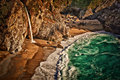
ETA: I just looked at the linked video, and look what scene they are showing :-)
Hey, I have one of those! ;-)
Originally posted by Cory:
Originally posted by glad2badad:
Ahhh, okay - understood.
Ummm ... not knowing these various software plugins must make it quite interesting when you have to participate in a challenge entry validation process as a member of SC, yes? :-)
They just keep him around in case someone actually submits something with PC Paintbrush. ;)
Interesting ... yes ... :-)
I've used Photoshop since version 2.0, and someplace I think I have a floppy disc with the installer for version 1.0. I didn't use PCs in the "old days" but I have used Photoshop on a B&W Mac SE ...
What do these do, and what are the softwre/system requirements?
So this is a Digital Photography site and you are on the site council and been here for a zillion years.
You MUST be pulling our p*****rs.
Nope -- I'm still using the computer I had when I signed up here, and I still can't afford to get something new. My modest editing needs are still satisfied by older software, and I often can't even view the sites of newer stuff because their fancy web coding crashes my older browsers.
I know what a Photoshop plugin is, but there's no way I can test them out ("modern" ones anyway).
What do these do, and what are the softwre/system requirements?
So this is a Digital Photography site and you are on the site council and been here for a zillion years.
You MUST be pulling our p*****rs.
Let's bear in mind that SC does plenty of things besides rule on the legality of photo editing. And a lot of issues they DO rule on in the editing have nothing to do with how sophisticated were the tools that achieved the edit.
Paul's one of only a tiny handful of SC with a visible forum-moderator presence, and we do appreciate that. He's a very good moderator.