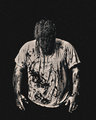
I am just a newbie to the world of commercial photography so please don't blast me up to heaven.
I would like to know how much is too much when it comes to using from flecky board on exterior shots to editing your pic to the hilt so that there are zero blemishes.
Shots that I normally take are of people, outside using a relatively long lens with a short depth of field.
When I get back to the studio, all is good with picture composition and framing, but the pics seem to lack life.
So if I was to submit these to SHUTTERSTOCK, I joined yesterday, they probably would get rejected.
Is there anybody out there in cyber space that can help me into bringing my pics to life.
At the moment I use a pretty basic 5mp camera, but can borrow a canon EOS.
Is the secret in the camera?
Is the secret in the lens?
Is the secret in post production?
So sorry guys, I cannot upload an image yet, I believe that one has to be a paying member to do so. I have not submitted any funds yet. My membership is the basic of all basics for no fee.
Let me look into this tomorrow and I will see if I can show you an image of what I mean.
Too much is when it looks like it is too much (editing, that is).
Yes, that.
Originally posted by h2:
Some examples of your work would be nice...
...and that.
I don't submit to stock, but when I edit photos of women, I remove major unattractive blemishes and do some modest skin smoothing and usually minimize crows feet.
Here's a recent example. Due to her 40's themed outfit, a fair amount of the glamor glow treatment from Nik Color Efex also helped. It's probably a bit over the top, but I think it worked for this particular shot. She loved it, and that's what counts.
full-sized image
On the other hand, men tend to get wrinkle enhancements. Upon seeing this photo, Jay's reaction was "Oh, my".
You can post a link to your images if they are on another site (FB, FLicker, etc.). Commercially, models tend to look natural, with all the effects done in the hair and make-up. If they are glamour shots, they tend to get smoothed out a lot. If they are more for news, not so much. If your images are looking rather flat, it may be a combination of both the shallow dof and inadequate lighting. If you are using natural light, it can be harder to achieve that "pop", unless you know what you're doing. Results with natural light will be better if the bg is darker than the subject. These are all natural light, with minimal editing.
Is the secret in the camera?
Is the secret in the lens?
Is the secret in post production?
the secret is you have to be able use all three of them.
These were all taken with a 60D and a prime lens. Clearly you can see what photoshop will do. But you have to have have good starting material. the point isnt to make them look like barbie dolls, just their best.
Microstock is a who;e different beast and it really depends on the reviewer but I usually keep editing pretty basic both for the look and for time, I don't want to spend a lot of time for .25 a dl.
(the color version)
These are doing pretty well just starting out, i also have some with much less editing.
So if you are talking about editing for challenges here, stock or traditional commercial photography it is all different.
[b][i][i]You can post a link to your images if they are on another site (FB, FLicker, etc.)
I wish to thank all for their help. I loved the before and afters. Now I am endeavoring to upload a pic that I have on Facebook.
When I choose INSERT IMAGE and I cut and paste the URL, it gives me a posting error, Can anybody help me withy this one so that I can display an example?
Posting Error
In order to prevent spam, new users of our forums are unable to post URLs.
Please remove the URLs from your post and try again.
When you post a link, use the 6th box over (the globe looking one that is a hyperlink). Copy your Flickr URL then paste into the mask that pops up when you click the "hyperlink".
ETA: I think...
johnbrennan, I tried it with the hyperlink, but its not working (linking). Sorry.
For those who want to go to his Facebook link, try this:
facebook.com/photo.php?fbid=10151310111652829&set=a.10150511999887829.393119.573862828&type=3&theater
It goes to the Facebook site, but I don't have Facebook so I can't tell you if it goes to the photo he wants people to see.
johnbrennan, I tried it with the hyperlink, but its not working (linking). Sorry.
For those who want to go to his Facebook link, try this:
facebook.com/photo.php?fbid=10151310111652829&set=a.10150511999887829.393119.573862828&type=3&theater
It goes to the Facebook site, but I don't have Facebook so I can't tell you if it goes to the photo he wants people to see.
I think the privacy settings won't allow non-friends to access the pictures. Setting the privacy to public should do the trick or the pictures can be added to something disposable like photobucket.
If you are going to get into commercial photography you are going to have to master a bit of web savvy ness and learn how to share and optimise your pics
Go get a free Flickr account it's good for 200 pics and you can then share them here
If you are really serious about it then join here and learn it'll be the best $25 dollars you've spent it's driven my photography on massively
Referring to the shot you posted on flickr (commenting as if it were shot for commercial purposes):
A good candid shot with perfect focus, appealing DOF and crop. Face lacks a bit of contrast due to backlighting. White balance should be a bit warmer. Lint on the shirt should have been cloned out. A tad too much noise, especially visible in the background.
I wouldn't call it lifeless, but it could pop more; maybe a warmer skin tone and emphasizing the wrinkles would help.
The description sounds like it was written for stock (not perfectly, though) - bad news is, you won't be able to sell this image as you probably don't have a model release.
You might look at this book. The short answer, though, is that the amount of processing depends on the type of shoot, but you have to have command of all three factors (equipment, shooting, processing).
As far as your shot, the shot itself is fine, although I'm not sure I'd shoot something at ISO 1250 for stock, even with my full frame D800. The two biggest issues are that the white balance is off and you need to do some levels adjustments.
note to self: googling "skin book" brings up some...ummm...interesting results.
If you are considering stock, the crop is also a problem. Better to provide them with the entire head and allow them to crop to their specs. As for the editing, I agree with what's been posted so far. More disturbing to me than the darkness is the grayish, greenish tinge to the skin tones.
You are absolutely amazing, I just love those comments they will help me immensely. h2 your comments were well noted, great feedback. With regard to the model release form, I will be able to get one. At this point I don't know the subject but I can find out easily enough.
And a question with regard to that: If I have already posted it on Flickr can I still at a later date submit it for sale?
Tanguera, with regard to cropping, are you suggesting that I give them a bit around the edges at the time of shoot. In this picture I shot it how I thought it should be framed. With stock photography, is there format guidelines that I need to follow, you know the old 8x10 as an example or can I just crop as I see fit?
Ann, thank you for your tip and I will have a look at the book.
Once again, thank you all for being so generous with your time in addressing my concerns.
Kind Regards
John Brennan
I failed to mention by name previous posts offering advice, but rest assured I have taken all posts on board.