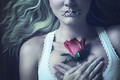
I super glued some string in little X's and then just laid them over my mouth, processed to look like stitches.
Honest question: How have the 'holes' in the skin been created?
Edited to remove inappropriate question - if SC sees this, can you please edit the title of the post?
I was curious as to how the effect had been achieved and thought others might be as well, given some of the comments during the challenge. (This is a learning site, yes?) Didn't mean to offend anyone with my ineffective written language skills. Apologies everyone.
Looks merely burned and dodged in... burning is ok, right?
everything is ok, unless its not ok. you cant burn so heavy to remove something and i also dont think you can burn so darkly you create new images areas.
Simple dodging and burning, yes. :) JamesDowning got it right!
I do not see why this would not be OK, as Advanced rules state dodging and burning are allowed: apply filters, effects, dodge & burn, and other tools to all or part of your entry, but NO new shapes or features may be created in the process.
There are no actual "holes" therefore no new image areas are created. All the same pixels are there, just a darker color.
I also got asked for proof during the challenge and submitted it to the admins and have not heard that it was illegal.
It is really not that hard as long as you watch your light source....dodging and burning is a very effective tool.
Simple dodging and burning, yes. :) JamesDowning got it right!
I do not see why this would not be OK, as Advanced rules state dodging and burning are allowed: apply filters, effects, dodge & burn, and other tools to all or part of your entry, but NO new shapes or features may be created in the process.
There are no actual "holes" therefore no new image areas are created. All the same pixels are there, just a darker color.
I also got asked for proof during the challenge and submitted it to the admins and have not heard that it was illegal.
It is really not that hard as long as you watch your light source....dodging and burning is a very effective tool.
you know im a personnel fan of yours and i hope its stays, but we've had dq's before where dodging and burning was taken too far. its an amazing job nonetheless and having not seen the original, i'm only guessing you are right on the edge of legality.
Haha! I know you are, and I appreciate it, truly! :)
If I had to submit it during voting (I think it was...4 days ago when I submitted) wouldn't I have heard by now? I read and re-read the rules when I thought of this photo and in my personal interpretation, it's within the rules. :)
I did think, as I got comments on it, that maybe people just didn't understand photoshop enough to know how I did it and assumed I did it outside of the rule set and while I thought it was a great idea, maybe it wasn't because of that.
Either way I am personally happy with the result and appreciate all the feedback, negative, positive and indifferent. :P
I am not very active in the forums, but I figured this is a chain I should chime in on. ;)
If I had to submit it during voting (I think it was...4 days ago when I submitted) wouldn't I have heard by now? I read and re-read the rules when I thought of this photo and in my personal interpretation, it's within the rules. :)
I've been waiting since last Saturday on my validation request and i've waited longer in the past.
Well I'll keep my fingers crossed that they have changed their definitions in the last 2 years. :)
I agree with you on the makeup though Mike...is this not a photography competition? They have makeup competitions....... I didn't figure this was a site for makeup competitions. I do enjoy makeup but I wouldn't join a makeup competition site. :P
I guess it makes no sense to me why some arbitrary amount of burning and dodging allowed? That makes no sense. "Use the tool, but only a little bit." How do you think I learned to use it? Trial and error, too much, to little, here, there, everywhere. If they say dodging and burning is allowed, let it be allowed, period.
I did it on a duplicate layer. Does that make a diff? (You may: use layers, layer masks, and alternative layer modes.)
No pixels were harmed in the making of this photograph. :)
use ANY editing tool to move, remove or duplicate any element of your photograph that would change a typical viewer’s description of the photograph (aside from color or crop), even if the tool is otherwise legal, and regardless of whether you intended the change when the photograph was taken.
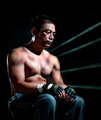
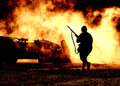
there is also this images that counters that (maybe), read the description:
Don't hate me for weighing in with a less than optimist view point, but it's strongly my suspicion that the image will unfortunately garner a DQ, as those are quite clearly new areas...
In any case, it's a great image, and don't let a silly little DQ discourage you if it does happen.
use ANY editing tool to move, remove or duplicate any element of your photograph that would change a typical viewer’s description of the photograph (aside from color or crop), even if the tool is otherwise legal, and regardless of whether you intended the change when the photograph was taken.
there is also this images that counters that (maybe), read the description:
you may be ok, but who knows...
Not really, the image was under Basic rules, and there was never a dodge or burn tool used. All adjustments were global in this image.
Thank you Cory and Tiny! I just wanted to stand up for myself a bit on this topic. I actively read the threads but never really jump in...
Next time I suppose I will just have to waste my eyeliner for holes.... haha! (Burning, or brush tool in Photoshop would do the SAME thing, but without the wastefulness) ;)
Thank you Cory and Tiny! I just wanted to stand up for myself a bit on this topic. I actively read the threads but never really jump in...
Next time I suppose I will just have to waste my eyeliner for holes.... haha! (Burning, or brush tool in Photoshop would do the SAME thing, but without the wastefulness) ;)