I'm hoping I can get some folks to respond in this thread and weigh in on some of my old challenge submissions.
I've just gotten a much larger monitor (literally 4x the area), and now I'm noticing that some of my old images appear to be over-sharpened, usually not much, but still, a lot of my stuff now seems to be just a little too sharp.
I've reviewed the comments on the images below, and no-one said anything about them being too sharp, but..... Sometimes we hold back, especially when it's just a "little too sharp", I know I hesitate to comment on sharpness usually because there's always a perception/preference issue at play, often I'll only say something if it's just an egregious job of sharpening.
So, I'd just like an honest opinion, as I think it will help me to adjust myself to this new monitor - at this point I don't know if the effect that I am seeing is just due to huge pixels, or if it's real and I've just not noticed it before.
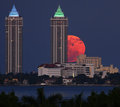
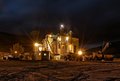
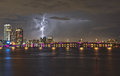
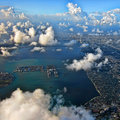
Here are a few that did well, but now look too sharp, do you agree?
A couple of them may be just a tad too sharp to be realistic. The first one in particular. I think your assessment of most of them is pretty accurate. "Navajo Lands" looks fine to me, though.
You had some pretty big monitors before, what did you change them out to?
A couple of them may be just a tad too sharp to be realistic. The first one in particular. I think your assessment of most of them is pretty accurate. "Navajo Lands" looks fine to me, though.
You had some pretty big monitors before, what did you change them out to?
I found an excellent deal on an out of box Sony 55" Bravia 3D TV..
ETA: It makes a surprisingly good monitor. :D
Thanks for the opinions, that's pretty much exactly what I wanted to hear... (oh damn, now I really should be worried shouldn't I??) :)
I don't think they are over sharpened. Remember, sharpening is essentially a form of contrast adjustment, but along the edges. I left comments. What you could be seeing on your new monitor is the effect of a stronger contrast range. I looked at them on 2 different monitors, a CRT and a DVI. Those areas you were talking about did show a higher contrast on the DVI (as they should), but I don't think they are too off.
I think with your new monitor, you'll have better control over the degree of sharpening. It may also help to marquee around an area and view the histogram shape before and after sharpening to give you an idea of how drastic you may be changing the image.
I don't think they are over sharpened. Remember, sharpening is essentially a form of contrast adjustment, but along the edges. I left comments. What you could be seeing on your new monitor is the effect of a stronger contrast range. I looked at them on 2 different monitors, a CRT and a DVI. Those areas you were talking about did show a higher contrast on the DVI (as they should), but I don't think they are too off.
I think with your new monitor, you'll have better control over the degree of sharpening. It may also help to marquee around an area and view the histogram shape before and after sharpening to give you an idea of how drastic you may be changing the image.
Especially to you, thanks for the effort there! I appreciate it very much.
I found an excellent deal on an out of box Sony 55" Bravia 3D TV..
ETA: It makes a surprisingly good monitor. :D
The only one of the shots that I think could have used less would be the insect macro. On a couple of the others I can see just a hint of sharpening artifact, but it's not over the top. You mention that the new monitor is actually a television. That's part of the problem. TV sets may (most do) apply sharpening by default to most if not all signals. It may be possible to turn down (or off) the sharpening.
We have used our 50" plasma display as a monitor, and it works OK, but you can see the effects of signal processing on hard edges, such as when text is displayed on a uniform background.
They look OK to me on an old CRT monitor. I didn't notice any halos -- assuming you want sharp images you have a very nice batch of pictures there ... :-)
I hardly ever sharpen my own work. I tend to like more natural looking detail. That said, the only one where I'd say you've over-sharpened is the insect, and even then it's not all that bothersome. Insects are prickly!
I'm not seeing any annoying halos, harshly stepped edges, or any of the other artifacts that read 'too sharp' to me. It looks like you've pushed it right to the line but haven't gone over it.
I sometimes need to remind myself I don't have to sharpen the whole image to the same degree. If you create a composite layer on top of your layer stack, you can sharpen it and then mask to selectivelyy reduce sharpening. Not legal in Basic, however.
just out of interest how close do you sit to your 55" monitor, i use my 42" hd from about 1.5 metre away sat on the sofa but its brighter then my macbook pro, be nice to have a huge monitor though on the desk, didnt know you could sit that close is all.
just out of interest how close do you sit to your 55" monitor, i use my 42" hd from about 1.5 metre away sat on the sofa but its brighter then my macbook pro, be nice to have a huge monitor though on the desk, didnt know you could sit that close is all.
Dunno, 30 inches? I don't find it to be too different.. just have to turn my head to see different parts... I do use it from my couch, with the resolution reduced to make everything huge.. it works really well for that too.