Author Thread
10/14/2011 10:00:17 AMPost actions · #1
Huh? so this can be Triptych, or more, or one, just not overlayed?
Hmmmm, I need a shower...
10/14/2011 10:23:34 AMPost actions · #2
I was thinking along the lines of Triptych, just not sure of how to work in the text.
10/14/2011 11:00:29 AMPost actions · #3
No text. The step by step needs to be obvious visually
10/14/2011 11:01:55 AMPost actions · #4
10/14/2011 11:02:18 AMPost actions · #5
Originally posted by Fiora:
No text. The step by step needs to be obvious visually
Extra Rules: Multiple captures from different scenes can be used for the purpose of illustrating the steps. These captures should not be over-layed on top of each other to create composite images though. Text is allowed. Message edited by author 2011-10-14 11:02:33.
10/14/2011 11:17:58 AMPost actions · #6
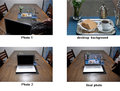
I'm picturing something along the lines of this... link . Just make it like a collage.
eta: I'm going to get hubby to make me a pair of these. Love them!Message edited by author 2011-10-14 11:19:51.
10/14/2011 11:34:49 AMPost actions · #7
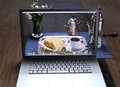
Maybe something like this, . it`s for explain how I did this
10/14/2011 12:58:42 PMPost actions · #8
They must remain separate and unblended?
10/14/2011 01:04:52 PMPost actions · #9
Originally posted by blindjustice:
They must remain separate and unblended?
Yes. In other words, we can't composite. We can just create multiple images arranged next to each other.
10/14/2011 01:36:30 PMPost actions · #10
10/14/2011 05:55:38 PMPost actions · #11
Originally posted by alfresco:
Hey the stranger is back...yayyyy!!
10/19/2011 02:00:40 PMPost actions · #12
Do all the pictures for this have to fit together nicely, or can they be arranged in such a way that there would be blank canvas?
And if these can be arranged in such a way that there is canvas that has nothing in it, can your just paint in the empty spaces in photoshop?
Would this example be legal, with the empty canvas painted blue, or do the images have to take up the entire canvas?
10/19/2011 02:58:14 PMPost actions · #13
Guess it doesn't matter anymore. I ended up doing a larger crop on one of my images so I was able to get everything in without the blank canvas space.
10/20/2011 09:55:25 AMPost actions · #14
Originally posted by bmatt17:
Do all the pictures for this have to fit together nicely, or can they be arranged in such a way that there would be blank canvas?
And if these can be arranged in such a way that there is canvas that has nothing in it, can your just paint in the empty spaces in photoshop?
Would this example be legal, with the empty canvas painted blue, or do the images have to take up the entire canvas?
Is there and answer to this, can the edges overlay each other or must they fill up the frame?
10/20/2011 10:07:03 AMPost actions · #15
It sounds like you can overlap all you want, you just cant overlay to create a composite image.
Remember also, it doesn't have to be multiple images. It does say that it can be a single image showing just part of the process. They don't all have to be mulitple images showing the whole process.Message edited by author 2011-10-20 10:07:25.
10/20/2011 11:45:29 AMPost actions · #16
Originally posted by vawendy:
It sounds like you can overlap all you want, you just cant overlay to create a composite image.
Remember also, it doesn't have to be multiple images. It does say that it can be a single image showing just part of the process. They don't all have to be mulitple images showing the whole process.
thanks
10/20/2011 11:47:40 AMPost actions · #17
And, can the empty canvas be an arbitrary colour?
Do you need to border your images so that it's it's obvious where the boundaries are?
10/20/2011 11:54:07 PMPost actions · #18
would like to have done that step song from SNL... you know... with the box...