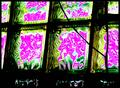
I am trying to get rid of some specks of dust and other unwanted stuff in a photo by using basic editing. I can't clone, so I tried upping the contrast. That makes them all disappear but then the photo looks too contrasty.
Any tips (I use Paint Shop Pro) for getting rid of the specks in basic editing? Thanks!
I am trying to get rid of some specks of dust and other unwanted stuff in a photo by using basic editing. I can't clone, so I tried upping the contrast. That makes them all disappear but then the photo looks too contrasty.
Any tips (I use Paint Shop Pro) for getting rid of the specks in basic editing? Thanks!
Careful....any way you try ...you may be doomed. Using a tool to get rid of something is likely a DQ....even in advanced!
The weird part is, since Basic is tools-based, you can, say, adjust contrast or brightness to obscene extremes, and it's still legal. In fact, there are some adjustments that, perversely are technically legal in Basic, yet would be illegal in Advanced, which is results-based.
I am trying to get rid of some specks of dust and other unwanted stuff in a photo by using basic editing. I can't clone, so I tried upping the contrast. That makes them all disappear but then the photo looks too contrasty.
Any tips (I use Paint Shop Pro) for getting rid of the specks in basic editing? Thanks!
Is this why you were asking about noise-reduction? That's what I was going to suggest trying. You might also have some luck making it B&W or duotone/tritone, if realistic color is not a necessity.
Careful....any way you try ...you may be doomed. Using a tool to get rid of something is likely a DQ....even in advanced!
The weird part is, since Basic is tools-based, you can, say, adjust contrast or brightness to obscene extremes, and it's still legal. In fact, there are some adjustments that, perversely are technically legal in Basic, yet would be illegal in Advanced, which is results-based.
All done with Curves adjustments and UnSharp Mask filter:
Edited: Orig: Edited: Original no longer available, but there's a thumb in the info section ...
I am trying to get rid of some specks of dust and other unwanted stuff in a photo by using basic editing. I can't clone, so I tried upping the contrast. That makes them all disappear but then the photo looks too contrasty.
Any tips (I use Paint Shop Pro) for getting rid of the specks in basic editing? Thanks!
Is this why you were asking about noise-reduction? That's what I was going to suggest trying. You might also have some luck making it B&W or duotone/tritone, if realistic color is not a necessity.
Yeah, that's why I was asking about noise reduction. I can get rid of some of it that way but not all of it. It needs to be in colour too. I'll probably just go with more contrast and enter it even though it's not as good as I would like it to be.
you may want to attempt a couple of processing styles, 3 images or so, and ask for preferences in the "Help! which one?!" thread. I think I'd rather see a bit of dust over blown out highlights and crappy contrast.
How can you tell if it's sensor dust or specks, I have some on my sensor and it's shown up on a photo I want to enter, dust is legal to clone out in Basic right?
How can you tell if it's sensor dust or specks, I have some on my sensor and it's shown up on a photo I want to enter, dust is legal to clone out in Basic right?
Yes, it is. If it's sensor dust, it will show up in the same spot on subsequent photos (probably; the stuff can move around but doesn't do it all that often). It will show up at small apertures, like f/22 or f/16, and seem to disappear at large apertures like f/2.8. The larger the aperture, the fi\uzzier and larger the dark spot.
If what you've got fits this description, well then, you've got dust!
Try setting your lens for f/22 (or f/16 if it doesn't go to f/22) put the focus on manual and set it to infinity. Take a photo of a white screen or wall. It doesn't matter that you can't focus or that you have shake, so make the exposure as long as it needs to be. Look at the resulting shot at 100%, and be disgusted.
ETA: yes, it's legal to clone out sensor dust in Basic.
Careful....any way you try ...you may be doomed. Using a tool to get rid of something is likely a DQ....even in advanced!
The weird part is, since Basic is tools-based, you can, say, adjust contrast or brightness to obscene extremes, and it's still legal. In fact, there are some adjustments that, perversely are technically legal in Basic, yet would be illegal in Advanced, which is results-based.
really? what about this rule in basic
"use filters or stand-alone utilities designed to preserve image integrity (such as Neat Image, Unsharp Mask, Dust & Scratches, and color correction tools). These filters must be applied uniformly to the entire image, and must not be used in such a way that their use becomes a feature. No “effects” filters may be applied to your image, with the exception of Noise and Gaussian Blur."
Careful....any way you try ...you may be doomed. Using a tool to get rid of something is likely a DQ....even in advanced!
The weird part is, since Basic is tools-based, you can, say, adjust contrast or brightness to obscene extremes, and it's still legal. In fact, there are some adjustments that, perversely are technically legal in Basic, yet would be illegal in Advanced, which is results-based.
really? what about this rule in basic
"use filters or stand-alone utilities designed to preserve image integrity (such as Neat Image, Unsharp Mask, Dust & Scratches, and color correction tools). These filters must be applied uniformly to the entire image, and must not be used in such a way that their use becomes a feature. No “effects” filters may be applied to your image, with the exception of Noise and Gaussian Blur."
where in advanced you can apply effects...
Perhaps I am misunderstanding... but I wasn't talking about applying things that may be classed as effects. What I was speaking of are the most basic of Basic tools, like brightness, contrast, curves... in Basic, there is no limit on how dramatic your adjustment with these legal tools may be. The same adjustments made in Advanced, however, will net you a DQ if they remove subject matter, e.g. taking a dark but detailed background to black.
Careful....any way you try ...you may be doomed. Using a tool to get rid of something is likely a DQ....even in advanced!
The weird part is, since Basic is tools-based, you can, say, adjust contrast or brightness to obscene extremes, and it's still legal. In fact, there are some adjustments that, perversely are technically legal in Basic, yet would be illegal in Advanced, which is results-based.
really? what about this rule in basic
"use filters or stand-alone utilities designed to preserve image integrity (such as Neat Image, Unsharp Mask, Dust & Scratches, and color correction tools). These filters must be applied uniformly to the entire image, and must not be used in such a way that their use becomes a feature. No “effects” filters may be applied to your image, with the exception of Noise and Gaussian Blur."
where in advanced you can apply effects...
Perhaps I am misunderstanding... but I wasn't talking about applying things that may be classed as effects. What I was speaking of are the most basic of Basic tools, like brightness, contrast, curves... in Basic, there is no limit on how dramatic your adjustment with these legal tools may be. The same adjustments made in Advanced, however, will net you a DQ if they remove subject matter, e.g. taking a dark but detailed background to black.
I thought the line "used in such a way as their use becomes a feature " meant you could, say, saturate the thing to make it look alien.; or unsharp mask the heck out of it four times to make it freaky posterish- but I guess I will have to look deeper into this seemingly strange situation of basic allowing much more.