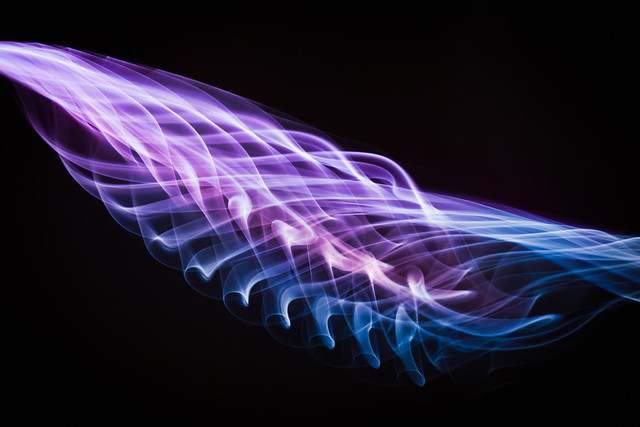
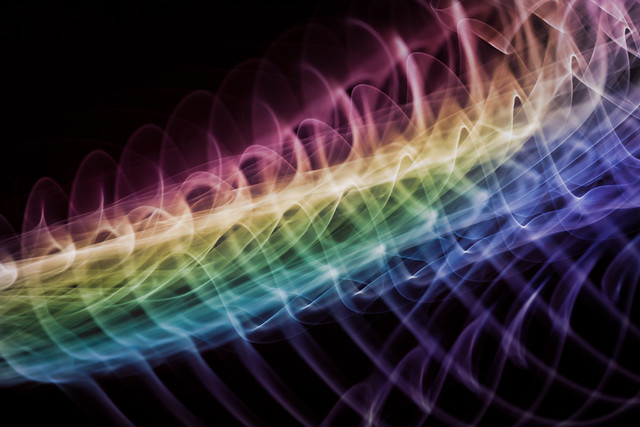
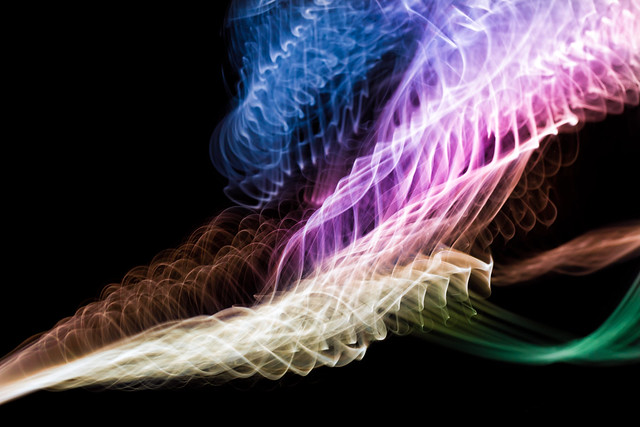
The basic idea is to reveal a bit of a temporal element in your standard smoke photography, by using a rapid succession of strobing flashes. You end up with really biological, skeletal, and deep-sea looking forms and shapes as the smoke drifts and curls. It's rather lovely if you ask me! You be the judge:
these are really cool :) i especially like the first one :) very pretty! did you edit the colors in? (sorry if that sounds like a dum question... i just dont know)
i'm curious, is it only the high-end strobes that can flash this quickly? I know my recharge time is like 2seconds, so to fire 10 flashes in a row like this makes me wonder.
these are really cool :) i especially like the first one :) very pretty! did you edit the colors in? (sorry if that sounds like a dum question... i just dont know)
the way the colors intertwine that would be some pretty talented photoshopping imo
i'm curious, is it only the high-end strobes that can flash this quickly? I know my recharge time is like 2seconds, so to fire 10 flashes in a row like this makes me wonder.
Lower the intensity and you'll increase your recycle time dramatically. Batteries are a BIG variable here, as well.
The repeating function on the flash is something I've only messed with a tiny bit, but there are a lot of cool possibilities, this one obviously being one of them. Cool results.
i'm curious, is it only the high-end strobes that can flash this quickly? I know my recharge time is like 2seconds, so to fire 10 flashes in a row like this makes me wonder.
Lower the intensity and you'll increase your recycle time dramatically. Batteries are a BIG variable here, as well.
The repeating function on the flash is something I've only messed with a tiny bit, but there are a lot of cool possibilities, this one obviously being one of them. Cool results.
I've seen a Sunpak 555 flash at 8fps at 1/64 power.
i'm curious, is it only the high-end strobes that can flash this quickly? I know my recharge time is like 2seconds, so to fire 10 flashes in a row like this makes me wonder.
small on camera flashes usually have a strobic effect in hz. push the button and it puts off small flashed pulses
i'm curious, is it only the high-end strobes that can flash this quickly? I know my recharge time is like 2seconds, so to fire 10 flashes in a row like this makes me wonder.
Wow awesome, I really like them.. tho I don not understand for the life of me how you did it :)
The setup is very simple.
- Find something that generates smoke. I was burning a cotton string then snuffing it back to an ember. Incense is easier.
- Place it some distance in front of a black background
- Position a light (or lights) to the side of the smoke, maybe slightly behind it, making sure to control any spill on the background and camera
This will get you nice smoke pictures with a little patience. Then, to shatter the results...
- Set the lights to slightly underexpose the smoke each time they flash, to preserve a little detail in the brightest areas if they overlap while drifting around
- Set your lights to strobe rapidly, either using a flash with a built-in strobe setting, or rapidly triggering a series of non-strobing flashes in sequence
Now, with even more patience, you'll be able to capture something like what I linked.
Tips:
- Let the air clear out once in a while, the more smoke in the air the less contrast you'll have
- Use TONS of light, small apertures really help keep details in focus, and low ISO helps smoke look nicer
- Conversely, use low output power to speed recharge time. Boost light by placing it closer, not adding more power.
- Wait for a smooth stream of smoke to turn chaotic and capture the moment of transition for a more controlled looking image
The post-processing I'll leave up as an exercise for you guys, there's many ways to do it. :)
these are really cool :) i especially like the first one :) very pretty! did you edit the colors in? (sorry if that sounds like a dum question... i just dont know)
the way the colors intertwine that would be some pretty talented photoshopping imo
I did edit the colors in, but with a giant, sloppy color adjustment brush. Though I did start over a couple times on certain images to improve the color after I was done trying stuff out, it's not that hard. The black background makes it simple to just drop in colors where I wanted. I used Lightroom, but you could definitely get better, more saturated results in Photoshop.