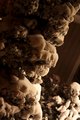
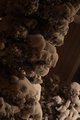
[thumb]I took this last night during the snow storm, and I feel like it has potential to be a great shot, but I cant seem to help it enough in post, I have photoshop CS4, which admittedly I dont know how to use half of the features it offeres. Please take a crack at this and give me some pointers. The 1st is the unedited shot the second was with some adjustments
[thumb]926742[/thumb]
I don't have time to edit right now, but I would start with a Curves adjustment layer through a graduated mask fading diagonally from upper left tolower right, to "even out" the lighting/tones a bit. Also, you might say what it is you want it to look like so that anyone trying to help won't go in the "wrong direction" ...
I think your first thumbnail isn't showing because you have an extra opening [thumb] tag at the beginning of your post.
I took this last night during the snow storm, and I feel like it has potential to be a great shot, but I cant seem to help it enough in post, I have photoshop CS4, which admittedly I dont know how to use half of the features it offeres. Please take a crack at this and give me some pointers. The 1st is the unedited shot the second was with some adjustments
parsed
But to really help you we need a full-size image; you can load one in your workshop and link us to it.
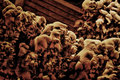
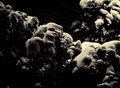
I like both of these takes on my shot. How is it that you were able to get the bush to really push off the background, and have nice contrast without developing digital "muck". As I was playing with it adjusting the levels and curves i just couldnt seem to get the contrast right without it looking overprocessed.
I like both of these takes on my shot. How is it that you were able to get the bush to really push off the background, and have nice contrast without developing digital "muck". As I was playing with it adjusting the levels and curves i just couldnt seem to get the contrast right without it looking overprocessed.
I like both of these takes on my shot. How is it that you were able to get the bush to really push off the background, and have nice contrast without developing digital "muck". As I was playing with it adjusting the levels and curves i just couldnt seem to get the contrast right without it looking overprocessed.
Both of us used liberal doses of topaz...
For me it was Clean , Denoise and Adjust..
As for Bear, it looks like he used Simplify
Plus I started with a lot of clarity bumping in Camera Raw before moving to CS3. And I gave it a kick in the DeNoise as well. But mostly Topaz Simplify, yeah...