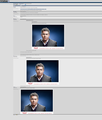
yo_spiff will be the first to tell you that I am NOT a fan of too much tone mapping. A little is great and can really improve the look of a picture but anything other than a VERY light hand is too much.
I much prefer a more realistic look without unrealistic coloring but tone mapping does improve contrast and brings out detail that might otherwise go unnoticed.
So from PPP, I choose in the Effects to use Topaz Adjust or to use Clarify depending on what's needed. Less is more though so I don't usually do both but do upon occasion because Steve has said that they both do tone mapping but differently. So, a light touch of both can sometimes be the right trick.
My two cents aren't worth much but they didn't cost you anything.
Good luck and have fun playing with your pictures to make them POP off the page.
The real answer to how to tone a Photo like that is with lighting techniques. Then after that you do some Post processing. You can nearly get that photo with lights and modifiers.