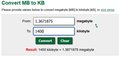
It's been a long time coming, but as a lead-in to DPL5 we have raised the allowable File Size for challenge entries from 700kb to 1400kb, effective immediately. The iMAGE size restriction remains unchanged at 1200px, but you can now save your image with much less compression. My current entry in "Make us Smile" jumped from 65% to 94% quality when I resampled it at 1400 instead of 700.
With image size increase will there be an increase in space allocation per user? 100 MB is very little these days. It will be important for DPL as many images are placed in Workshops to be discussed by teams.
With image size increase will there be an increase in space allocation per user? 100 MB is very little these days. It will be important for DPL as many images are placed in Workshops to be discussed by teams.
Not likely. DPL images placed in the workshop are temporary, so just keep it lean.
Please note that if you upload an image larger than 1200px the system will automatically resize it and apply jpeg compression you may or may not like. So if this is important to you be advised to upload images up to 1200px.
Please note that if you upload an image larger than 1200px the system will automatically resize it and apply jpeg compression you may or may not like. So if this is important to you be advised to upload images up to 1200px.
Thank you for this - was not sure on the 1200 staying the same.
Jim
Please note that if you upload an image larger than 1200px the system will automatically resize it and apply jpeg compression you may or may not like. So if this is important to you be advised to upload images up to 1200px.
Thank you for this - was not sure on the 1200 staying the same.
Jim
Hm, let’s start over. What is the longest side size when I do “image size” drop down in PS? I used 1200 as in the past then ended up just under 700kb again after using the new 1400 # in the maximize quality box.
Help please. Thanks.
Please note that if you upload an image larger than 1200px the system will automatically resize it and apply jpeg compression you may or may not like. So if this is important to you be advised to upload images up to 1200px.
Thank you for this - was not sure on the 1200 staying the same.
Jim
Hm, let’s start over. What is the longest side size when I do “image size” drop down in PS? I used 1200 as in the past then ended up just under 700kb again after using the new 1400 # in the maximize quality box.
Help please. Thanks.
I guess you have a simple image. An image with more detail will easily soar over 700K
Please note that if you upload an image larger than 1200px the system will automatically resize it and apply jpeg compression you may or may not like. So if this is important to you be advised to upload images up to 1200px.
Thank you for this - was not sure on the 1200 staying the same.
Jim
Hm, let’s start over. What is the longest side size when I do “image size” drop down in PS? I used 1200 as in the past then ended up just under 700kb again after using the new 1400 # in the maximize quality box.
Help please. Thanks.
I guess you have a simple image. An image with more detail will easily soar over 700K
Just dropping in here to say that I really appreciate this change! It's so pleasing to save my photos and not have to compress them so hard, especially those with lots of details.