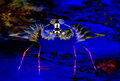
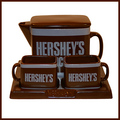
I'm really impressed with that spiral effect you showed us last time and again here.
It's also possible to just select out part of an image and spiral just that part,
like here when I gave this/these birds a new outfit to wear. I could never in this
world reproduce this effect again.
I'm really impressed with that spiral effect you showed us last time and again here.
It's also possible to just select out part of an image and spiral just that part,
like here when I gave this/these birds a new outfit to wear. I could never in this
world reproduce this effect again.
LOL - I've been playing with this theme for the last month in the "Anything Goes"
side-challenge. I'm really looking forward to another month of this fascinating process.
Here are some results from October:
I made a collage of several of these FB images to print out the last time we did this. Using these as "building blocks" for another piece as you've done here works great, and adds a whole 'nother layer of creative processing options to play with.
Thanks for the reminder and excellent example of this additional step!
My last October warm-up images ... on the first I tried a "workaround" to keep the rectangular shape by stretching the 90° rotation layer 133% in the horizontal only.
from and from
I started playing around with this as soon as the challenge was announced, but resisted posting anything until November arrived. Now I've got so many I don't know where to start.
My first attempt at this new game. I haven't read the whole thread from January yet, so there is still a lot for me to learn about the variations people have developed. This is going to be very fun.