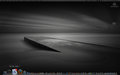
The installation is fairly harmless. I have only been Mac a few months and after YEARS of nightmarish Windows upgrades, this really was painless. This is the only issue I have found and only happens if I open a .jpg. It doesn't happen when I convert to a .jpg while editing.
when I open a .jpg, the screen around the image is blocked - some gray (as it should be) while there are large 'blocks' that are black with RGB speckles.
I opened several JPEGs and don't see anything like that. It must be specific to some settings you're using.
I went through settings/preferences and saw nothing that was different than before or looked strange. Both in the OS and CS4. But I may not know what I am looking for if it is OS related. Still learning a lot about the Mac.
OK, I will again sound ignorant...I don't know what that means to "repair permissions." What permissions? Where?
OK, I will again sound ignorant...I don't know what that means to "repair permissions." What permissions? Where?
Ah, that's a biggie. The #1 fix-all for Mac OS X...
Open Disk Utility from Applications > Utilities. Click on your hard drive in the window and then hit the Repair Permissions button. You should do this after any installation or major update.
No luck. Oh well. Doesn't seem to be a problem, just looks funky.
EDIT: Just came home and for some reason tried it again and all is well. Hmm...glad I got the screen shot just so I know I wasn't going any crazier than I already am.
2nd Edit: Ok, it is back again. Guess I will get used to having the frame off.
Anybody try Capture One 4 or the Canon EOS utilities with Snow Leopard yet? I've done some searches and don't see any problems, but I cannot afford any downtime right now so I'm being extra cautious. Thanks!
I just installed it--so far no problems, though it did lose my monitor calibration settings, so had to re-run spyder3 again.
Regained a full 11G of HD space (vs. the advertised 7G average) and stuff is a bit snappier. Will be glad to see an eventual update to Aperture to take advantage of the new OS.
I went to open parallels last night to transfer some maps to my GPS. Version 3 is not compatible with your OS. Ok, I go ahead and order and download the version 4 upgrade. I go to install it, and it says that version 3 is going to have to be uninstalled. So I say ok, and click continue and it tells me that the windows xp virtual machine is running and it won't let me do anything about it. I tried to install version 3, but it won't let me do anything with it. So right now I'm stuck in this loop where I can't install version 4 and I can't do anything with version 3.
Based on what I've read thus far...it seems to be worth the $29. They say it's a smaller footprint on your MAC. ALMOST nabbed it at the Apple store today. So, the verdict is it's ok??
Based on what I've read thus far...it seems to be worth the $29. They say it's a smaller footprint on your MAC. ALMOST nabbed it at the Apple store today. So, the verdict is it's ok??
I went to open parallels last night to transfer some maps to my GPS. Version 3 is not compatible with your OS. Ok, I go ahead and order and download the version 4 upgrade. I go to install it, and it says that version 3 is going to have to be uninstalled. So I say ok, and click continue and it tells me that the windows xp virtual machine is running and it won't let me do anything about it. I tried to install version 3, but it won't let me do anything with it. So right now I'm stuck in this loop where I can't install version 4 and I can't do anything with version 3.
Anyone running Aperture 2.2 and Snow Leopard?
I've heard horror stories about Aperture not working after the Snow Leopard install.
(Also, can someone PM me and help me with where to put plug-ins to be used in Aperture?) My plug-in folder isn't where the directions for PhotoMatrix plugin says it should be.)
Anyone running Aperture 2.2 and Snow Leopard?
I've heard horror stories about Aperture not working after the Snow Leopard install.
(Also, can someone PM me and help me with where to put plug-ins to be used in Aperture?) My plug-in folder isn't where the directions for PhotoMatrix plugin says it should be.)
Aperture works great with Snow Leopard. Absolutely no problems.
The problems they were having were with RAW files. I'm getting my Snow Leopard in the mail this week and want to load it up, but wasn't sure about the Aperture thing.
Thanks for the info.
my screen seems brighter after loading Snow Leopard. I'm not a tech-head, so need the brains of you computer wizards. What all do I need to tweak now that I've loaded this thing? (I'm actually trying to read the book, but since most here are men...you prolly can't relate, lol!) I'm teasing! ;)