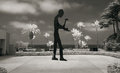
The Builder- a kinetic sculpture (the right arm moves) at the Museum of Contemporary Arts in La Jolla, CA.
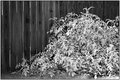
I actually took it yesterday. It was shot with the camera set to black and white- I go back and forth and will sometimes shoot a subject in both the BW and color modes.
and if you shoot in RAW, I guess, it retains all the color info anyway, should you decide you want it later?
I am stepping back a few days to last week for this one. The Host did say we could use older images if they are newly edited.
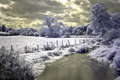
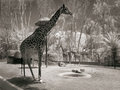
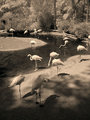
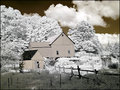
Infrared at the Zoo? Sure, why not? It does help to have a converted IR camera so that you do not need the longer exposures of trying to use a filter externally.
This is from the San Diego Zoo August 26th, edited today.
The Builder- a kinetic sculpture (the right arm moves) at the Museum of Contemporary Arts in La Jolla, CA.
I actually took it yesterday. It was shot with the camera set to black and white- I go back and forth and will sometimes shoot a subject in both the BW and color modes.
and if you shoot in RAW, I guess, it retains all the color info anyway, should you decide you want it later?
My little Fuji P&S does not have RAW so I have to use JPEG. The little camera does a pretty good job and its size makes it easy to carry around with my Nikon D80 so I can shoot IR or color both instead of having to decide which body to carry if I had a DSLR converted (I am not willing to carry two- especially since I travel by bicycle).
I could shoot in color and convert to BW later, but I like the way the camera does it and it saves me a step in processing.
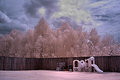
To answer a few questions on this image, the day was extremely bright. I had difficulty removing yellow tinging from the grass after the Channel Switch. If I desaturated the grass....I lost any detail....so to help get the blue....go for an extremely bright day where the sun is not in the photo.....preferrably with the sun above and behind you...this gives a richer blue. The sun reflecting off the water also helps with the colour. There wasn't much touching up done, colour wise, on the pc. I used a Nikon D70s, 50mm, Hoya R72 and Tripod. Taken in RAW, then into PS and switched Channels, played with Hue/Sat to get rid of the yellow on the foreground subjects, slight Selective Colour and Levels.
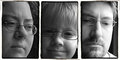
Sorry about the cover up plates on these thumbs...but the subject does involve nudity.
Thanks Judi and JeffryZ, for your posted explanations/tips.
I have a question I'll throw out there for any who might know. Been experiencing difficulties with color IR shots, where I get a nice sky color, but I have a real problem with keeping the color cast out of the clouds. Any tips on how to fix it/avoid it? The only solution I can think of - which is ridiculously painstaking - is to make a selection of all the clouds and do a color desat of the selection...
Thanks Judi and JeffryZ, for your posted explanations/tips.
I have a question I'll throw out there for any who might know. Been experiencing difficulties with color IR shots, where I get a nice sky color, but I have a real problem with keeping the color cast out of the clouds. Any tips on how to fix it/avoid it? The only solution I can think of - which is ridiculously painstaking - is to make a selection of all the clouds and do a color desat of the selection...
I don't think that I have had that issue but I would think the quickest and easiest way would be a hue/sat level, desaturate all the way, fill the layer mask with black and then go back with a white paint brush set at about 70% opacity and start painting the color off the clouds. depending on how detailed the clouds are you could do it in a under a minute or two. Not really a solution to the main issue but maybe a quicker work around.
Depending on how white the clouds are (in terms of brightness) you may be able to take care of that using Selective Color. Open a layer with that and use use the "black" slider for the white channel and move it in the brighter direction. Sometimes that will lighten it up enough to take out some of the color. Then you can also try to use the color sliders in the white channel to remove some of any tint it may have.
(edited for clarity)