I really like this technique, though I'd like to point out you can perform it with far older versions of Photoshop (and I'm sure other editors) -- I use PS 5.0 myself.
Instead of using the "Reflected Gradient" setting, I make two separate graduated masks for the upper and lower portions. That way I can apply different blurring values to the different sections; also, I just use the regular Gaussian Blur filter.
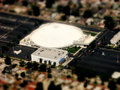
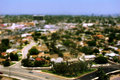
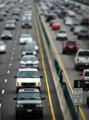
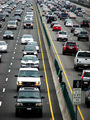
This technique works well for photos taken from high angles, like these two taken from an airplane:
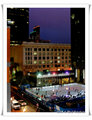
I also used a version of this technique for this recent entry:
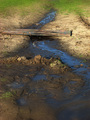
I found something on line over a year ago. It did the exact same as your tutorial except it increased the highlights in Curves to almost blowout some of the highlights.
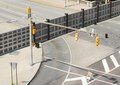
I did this one. It was really difficult because not only did I have to use the gradient to make the mask, but I had to go over the stoplight pole as well.
I found something on line over a year ago. It did the exact same as your tutorial except it increased the highlights in Curves to almost blowout some of the highlights.
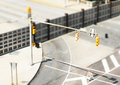
I did this one. It was really difficult because not only did I have to use the gradient to make the mask, but I had to go over the stoplight pole as well.
Original
Miniature
Hey! You did it right. I rarely see one of these where they pay attention to the "focal plane" in the editing, and it always annoys me. You did an awesome job here though.
wow great images! im starting to get into this type of editing technique and was just wondering is it was aloud in advanced eding rule set for challenges?
One more point to mention on this is that it works best if the light is strong and the shadows crisp. Like it would be from a desk lamp. An overcast sky lowers the illusion a bit.
Something else to think about is the angle that you take your shot. If you take it at eye lvl the effect not as good so you need to take your shot from a higher lvl so you are looking down onto your subject.
Awesome Phil! I've been yearning to do this ever since I first saw the Tilt Shift challenge a while ago here. So happy to see that it doesn't require a Lensbaby!!!!!