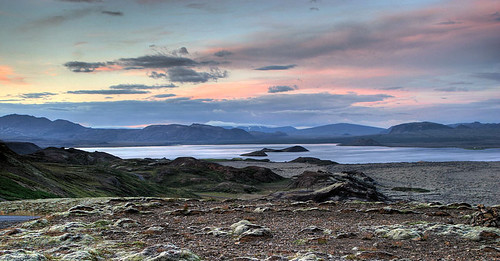
trying various things with HDR trying to keep it real but wired its a great tool for either style you choose to do. I like all aspects of HDR even the totally wacko stuff
I have also noticed how easy it is to go completely overboard with HDR.
I'm guessing the 9 shot bracketing on the Nikon D200 works very well for HDR.
I processed this back in May from a single exposure so that I could get the windows and the inside done properly. Someday, I'll go back and actually shoot it right. :)
My first attempt at this cool technique. I couldnt find my tripod so I shot handheld.
You can easily use tone mapping to recover some detail in the reflection... It would work better from a larger original, but this gives an idea where you can go:
My first attempt at this cool technique. I couldnt find my tripod so I shot handheld.
You can easily use tone mapping to recover some detail in the reflection... It would work better from a larger original, but this gives an idea where you can go:
R.
you rock!! im not sure what tone mapping is or how to do it. can you steer me in the right direction?
My first attempt at this cool technique. I couldnt find my tripod so I shot handheld.
Using your image as an example, here's a rather simple technique that I kinda like, using only Photoshop (CS or CS2):
1) Duplicate the layer
2) Set layer blend mode to Soft Light (note the loss of some details in shadows and highlights? that's a hint to where I'm going next)
3) Click Edit | Adjustments | Shadow/Highlight
4) Adjust the shadow and highlights sliders to pull back some of the details on either end of the spectrum.
5) Adjust the mid-tone contrast slider.
That's it. With just a couple of steps the output approaches what you've seen with the tone mapping using just PhotoShop CS or CS2.
Now... you could leave off step #2 and simply adjust the shadows and highlights for something similar as well. I just happen to like how doing the adjustment on a soft blend layer bumps up the saturation.
My first attempt at this cool technique. I couldnt find my tripod so I shot handheld.
Using your image as an example, here's a rather simple technique that I kinda like, using only Photoshop (CS or CS2):
1) Duplicate the layer
2) Set layer blend mode to Soft Light (note the loss of some details in shadows and highlights? that's a hint to where I'm going next)
3) Click Edit | Adjustments | Shadow/Highlight
4) Adjust the shadow and highlights sliders to pull back some of the details on either end of the spectrum.
5) Adjust the mid-tone contrast slider.
That's it. With just a couple of steps the output approaches what you've seen with the tone mapping using just PhotoShop CS or CS2.
Now... you could leave off step #2 and simply adjust the shadows and highlights for something similar as well. I just happen to like how doing the adjustment on a soft blend layer bumps up the saturation.
Kind of underscores my contention that tone mapping and shadow/highlight in PS aren't all that different...