| Image |
Comment |
| 06/28/2004 02:30:17 AM |
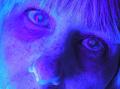
The Moon Studioby WildpurpleComment by melismatica: This is really just weird and unappealing. I don't mind overmanipulated portraits like this but there isn't anything to creative at work here--it just looks like you did some radical hue adjustments in selective color. |
 Photographer found comment helpful. Photographer found comment helpful. |
| 06/28/2004 02:20:30 AM |
|
| Photographer found comment helpful. |
| 06/28/2004 02:06:35 AM |
|
| Photographer found comment helpful. |
| 06/27/2004 06:41:16 AM |
Potato Bugby WildpurpleComment by bpickard: Clever idea, using the saturated fence as a frame....but bit risky as it detracts from the subject somewhat |
| Photographer found comment helpful. |
| 06/23/2004 01:17:50 AM |
Potato Bugby WildpurpleComment by TooCool: Definately a different view of the desat thing. I kind of like how the subject of the shot is in the b/w portion of the shot. It's a frame within a frame! Kudos
TC |
| Photographer found comment helpful. |
| 06/22/2004 06:31:16 PM |
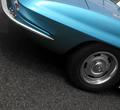
To burn or Not to burn rubber...by WildpurpleComment by photom: Unusual angle - with nice colors. The white over-exposed ares on the top left are a bit distracting. Compositionally, it would be a bit better without the tiny triangle in the top right corner. Overall - a good image that doesn't shout "choices" without your title. |
| 06/21/2004 07:17:25 PM |
|
| Photographer found comment helpful. |
| 06/21/2004 04:32:08 PM |
|
| Photographer found comment helpful. |
| 06/21/2004 11:01:01 AM |
|
| Photographer found comment helpful. |
| 06/21/2004 03:42:27 AM |
|
| Photographer found comment helpful. |
Home -
Challenges -
Community -
League -
Photos -
Cameras -
Lenses -
Learn -
Help -
Terms of Use -
Privacy -
Top ^
DPChallenge, and website content and design, Copyright © 2001-2026 Challenging Technologies, LLC.
All digital photo copyrights belong to the photographers and may not be used without permission.
Current Server Time: 09/03/2026 05:22:08 PM EDT.