DPChallenge: A Digital Photography Contest You are not logged in. (log in or register
 
Browse Settings
Currently viewing:
Memberroz

Show comments:

Per page:

Order:

Comments:


Comments Made by roz
Pages:   ... [1887] [1888] [1889] [1890] [1891] [1892] [1893] ... [2019]
Showing 18891 - 18900 of ~20181
Image Comment
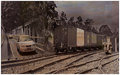
DAY 10 . where i live . virtual crossing
02/09/2007 07:50:45 AM
DAY 10 . where i live . virtual crossing
by roz

Comment:
answer to hipychik
two photographs .. increase width of canvas size in one image to 200% and bring in other photograph ... played around with different layer effects ... duplicated the train layer and scaled it up to cover the entire image .. i did this because if you have no details underneath a layer that you've changed from normal to say overlay, colour burn, colour dodge or wotever, then it wont work ... those sorts of layers have to have something going on underneath them .. like if you have just plain white or black then nothing will show at all ... its different for the different types of layers tho ....
i selected luminosity for both the train and car layers .. i then skewed the car so that it aligned better with the train layer, and then skewed the train layer to fit better with the car one ..
i did an adjustment layer in levels and made the sky a lot more dramatic, i then erased in that adjustment layer everything except the sky .. to erase in an ajustment layer i select the pen and use black and if you erase something by mistake then you draw over that area in white .. i think .. i havent got photoshop open right now and my memory totally sucks ..
i erased the edges of the bridge to merge better with the train tracks ..
i think i would have resized and merged the layers at this time and then i think i did a colour balance to give it a browner look ... i then brought in a photo of some bricks that i took and made them an overlay layer .. i scaled this layer up very very big .. and would've taken the opacity down to 70% or something ....
i then linked the brick layer and the image of the train and car and resized it so that it was more square because it was too long and thin and images in dpc dont go well like that imo ....
then i reckon i would have resized and merged the layers again and sharpened then border then saved for web .......

this is only approximate!!!

there are probably much better and quicker ways of achieving the result i want, but at this level of knowledge , these actions are the best i can do .. i am really wanting to learn how to use MASKS but i find the info in help etc very confusing .....

Message edited by author 2007-02-09 16:20:12.

Moonlit
02/09/2007 07:11:46 AM
Moonlit
by nixter

Comment:
hi nick ... congratulatons on a beautiful photograph and a very respectable finish in a free study ... stunning and vibrant colours .. excellent ..........
Photographer found comment helpful.
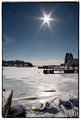
Ice Bound
02/09/2007 03:27:40 AM
Ice Bound
by xianart

Comment:
hi christian .. another absolutely stunning shot .... love your composition .. love the sharpness and colours of this photograph ... that flare works really well ... excellent ..
Photographer found comment helpful.

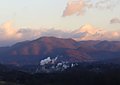
Day 8
02/09/2007 03:25:13 AM
Day 8
by karmat

Comment:
excellent shot ... love the way that factory is nestled in the hills .. love the composition and the contrasts between the land and the sky ...
Photographer found comment helpful.
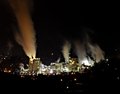
Day 9
02/09/2007 03:23:58 AM
Day 9
by karmat

Comment:
OMG i love this photograph .. just stunning and so dramatic ... love the lights and the smoke and the colours and the sky and the composition ... excellent ... WOW ......
Photographer found comment helpful.

Day 4 Goose Creek Lake
02/08/2007 10:08:23 AM
Day 4 Goose Creek Lake
by UNCLEBRO

Comment:
hi steven .. just gonna turn off computer and noticed lovely comment from you on my trains one ... so i just came to see wot you'd put in lately ...
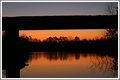
absolutely love this image ... love the beautiful colours and the way they are divided by the bridge or wotever it is ... the reflections are just beautiful ... shiney, shimmery gorgeous .......

edit ... couple of minutes later ...
i've just gone and looked at your other ones for this 30 day thing and they are all so very different ... i'd never have guessed that they were all taken at the same place unless you had told me .. you could probably take another 20 at this lake, till the challenge ended, and they'd all be different ..

Message edited by author 2007-02-08 10:12:09.
Photographer found comment helpful.

Wall Art
02/08/2007 09:49:00 AM
Wall Art
by Retroesque

Comment:
hi lisa .. had just posted my last photo in this thread for the day, or night or morning or wotever !!! and just noticed this one you had put in ... its great ... love it ... excellent colours and love the way you've probably overlayed and duplicated and inverted etc etc ...
Photographer found comment helpful.
Day 8 - The San Antonio Riverwalk
02/08/2007 09:33:47 AM
Day 8 - The San Antonio Riverwalk
by SandyP

Comment:
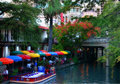
hi sandy ... what a beautiful spot ... how incredibly colourful and bright .. would love to visit there ...
great photograph, excellent composition and just love the feel of the place that you seem to have captured so wonderfully ...
its 1.30am here in australia now, on friday 9th ... its still thursday at 9.30am for you.... i'm just gonna post one more photo i took today and i think i better drag myself away from this computer or else i'll start to become a part of it!!! .. have a great day!!...
Photographer found comment helpful.
Rolls
02/08/2007 06:34:42 AM
Rolls
by Retroesque

Comment:
hey lisa ... glad you missed me!! .. lol
love all the contrasts going on here ..
the horizontal and vertical lines, the colours, etc ....
great composition .. you've got a great eye ... well you've probably got two, but you know wot i mean!!!
Photographer found comment helpful.
Day-8,-Oshawa-Ontario,-Cana.jpg
02/08/2007 03:44:35 AM
Day-8,-Oshawa-Ontario,-Cana.jpg
by Ivory

Comment:
hi sue .. and yeah I LIKE IT!!! ... its another stunning and beautiful photograph by ivory .. i just love the dark somber mood combined with that awesome glow in the sky .. your processing is out of this world ... the way you compose your photographs & your colour sense is excellent ... you are such a talented artist & i admire your work .........
have just upgraded my computer and this is the second comment i've made since i've had it back ... now i'm going to edit some amazingly stunning photographs i took yesterday and today!!!! ... thats a joke by the way coz they are not amazing and they are not stunning .. thank god i wont be scored on them !!
Photographer found comment helpful.
Pages:   ... [1887] [1888] [1889] [1890] [1891] [1892] [1893] ... [2019]
Showing 18891 - 18900 of ~20181


Home - Challenges - Community - League - Photos - Cameras - Lenses - Learn - Help - Terms of Use - Privacy - Top ^
DPChallenge, and website content and design, Copyright © 2001-2026 Challenging Technologies, LLC.
All digital photo copyrights belong to the photographers and may not be used without permission.
Current Server Time: 06/25/2026 09:45:51 AM EDT.